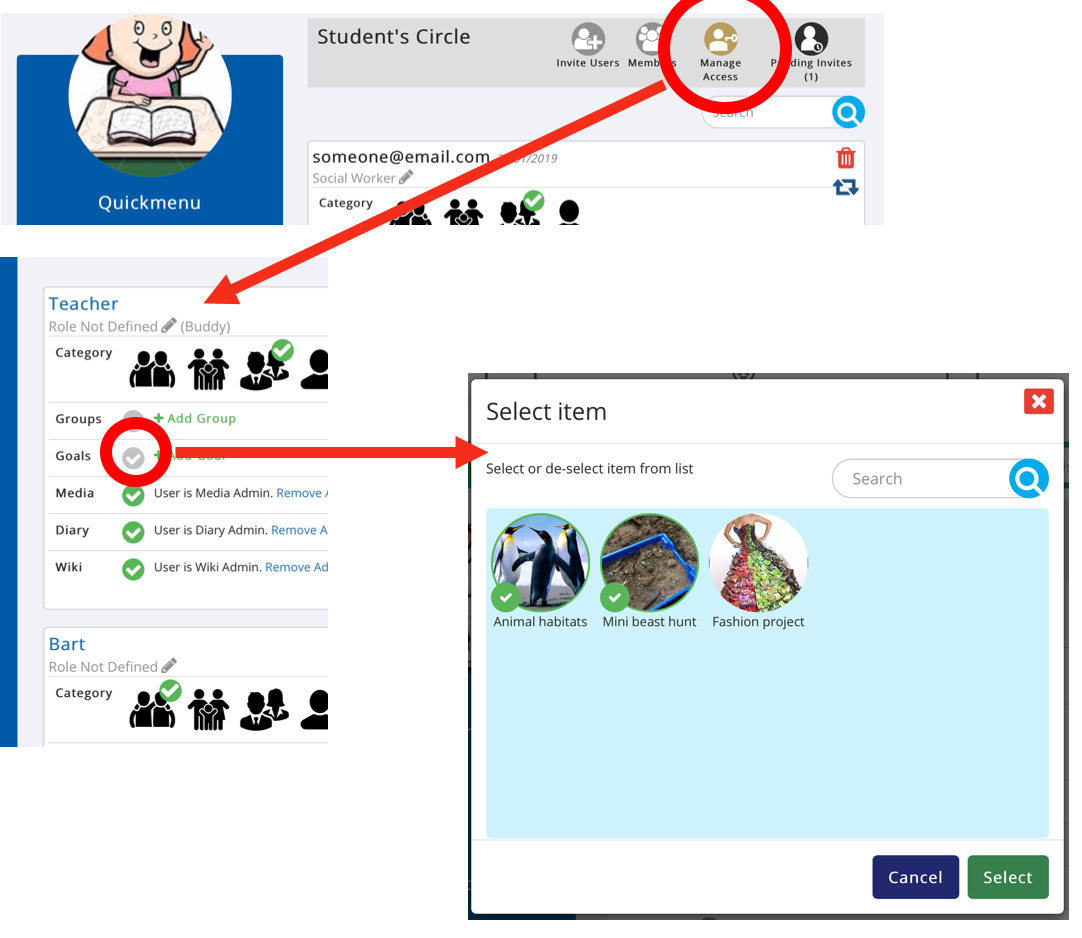
You can manage access for Circle members to a Supported Users Stuff including their Groups, Goals, Media, Diary and Wiki
- Click the brown ‘Manage Access’ icon
- Click ‘Add Goals’
- Select the Goals you want to add them to and click ‘Select’
NOTE: you can remove the Goals again by clicking the ‘x’ next to the Goal name.
Was this article helpful?
That’s Great!
Thank you for your feedback
Sorry! We couldn't be helpful
Thank you for your feedback
Feedback sent
We appreciate your effort and will try to fix the article