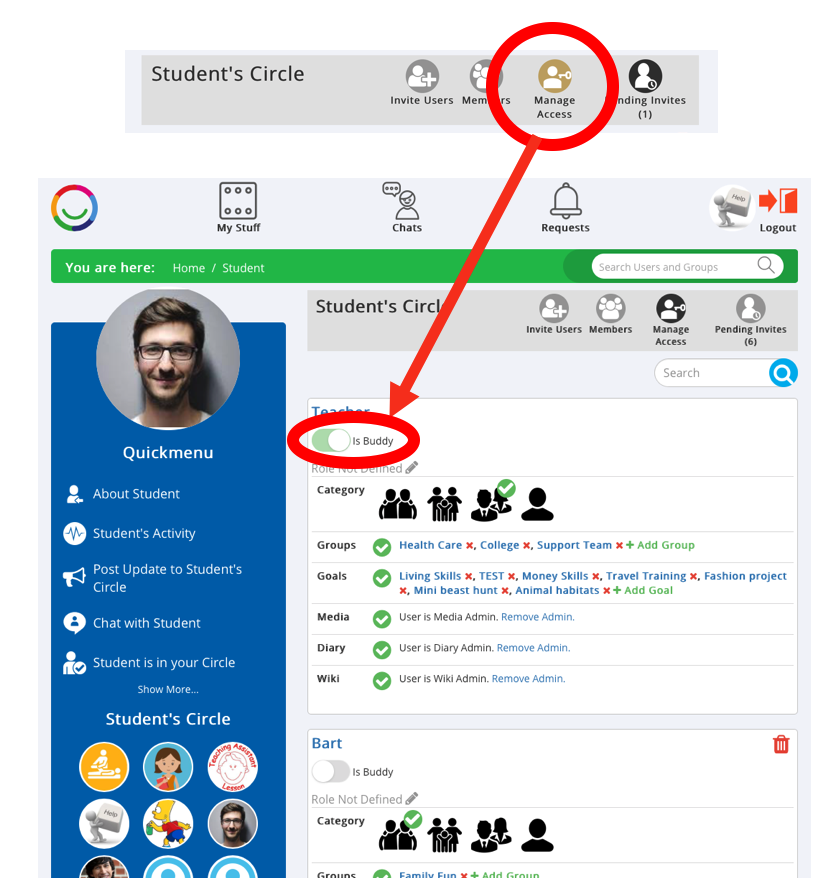
In the Manage Access area you can define who is a Buddy for the Supported User. Simply switch on/off the ‘is Buddy’ option under the person’s username.
NOTES:
- You cannot edit a user's Buddy status if that user has already been defined as a Buddy by the Account Holder
- You cannot make a Supported User a Buddy
Was this article helpful?
That’s Great!
Thank you for your feedback
Sorry! We couldn't be helpful
Thank you for your feedback
Feedback sent
We appreciate your effort and will try to fix the article