As a Buddy of a Supported User you can link their Diary of Activity Posts in MultiMe to Tasks in their Goals.
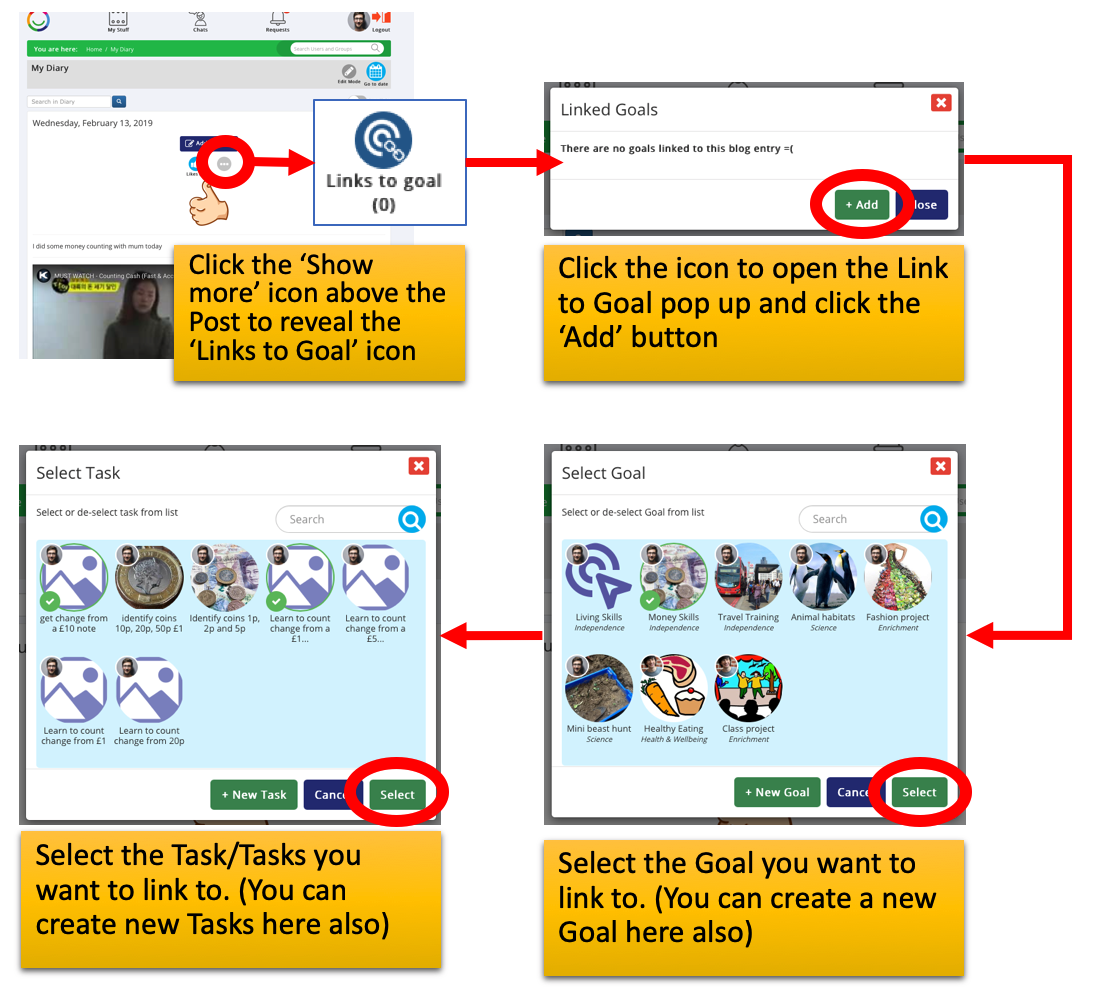
Simply click on the ‘link goal’ icon above the Post and select the Supported User’s Goal and the Task you want to link to.
The linked Post will appear in the the Task Comments section on the Task detail page.
Was this article helpful?
That’s Great!
Thank you for your feedback
Sorry! We couldn't be helpful
Thank you for your feedback
Feedback sent
We appreciate your effort and will try to fix the article