Watch - 1. Writing something in your diary
Watch: 2. Add a video to your Diary
Watch 3. Use your diary to show something you've been doing and how you've been feeling
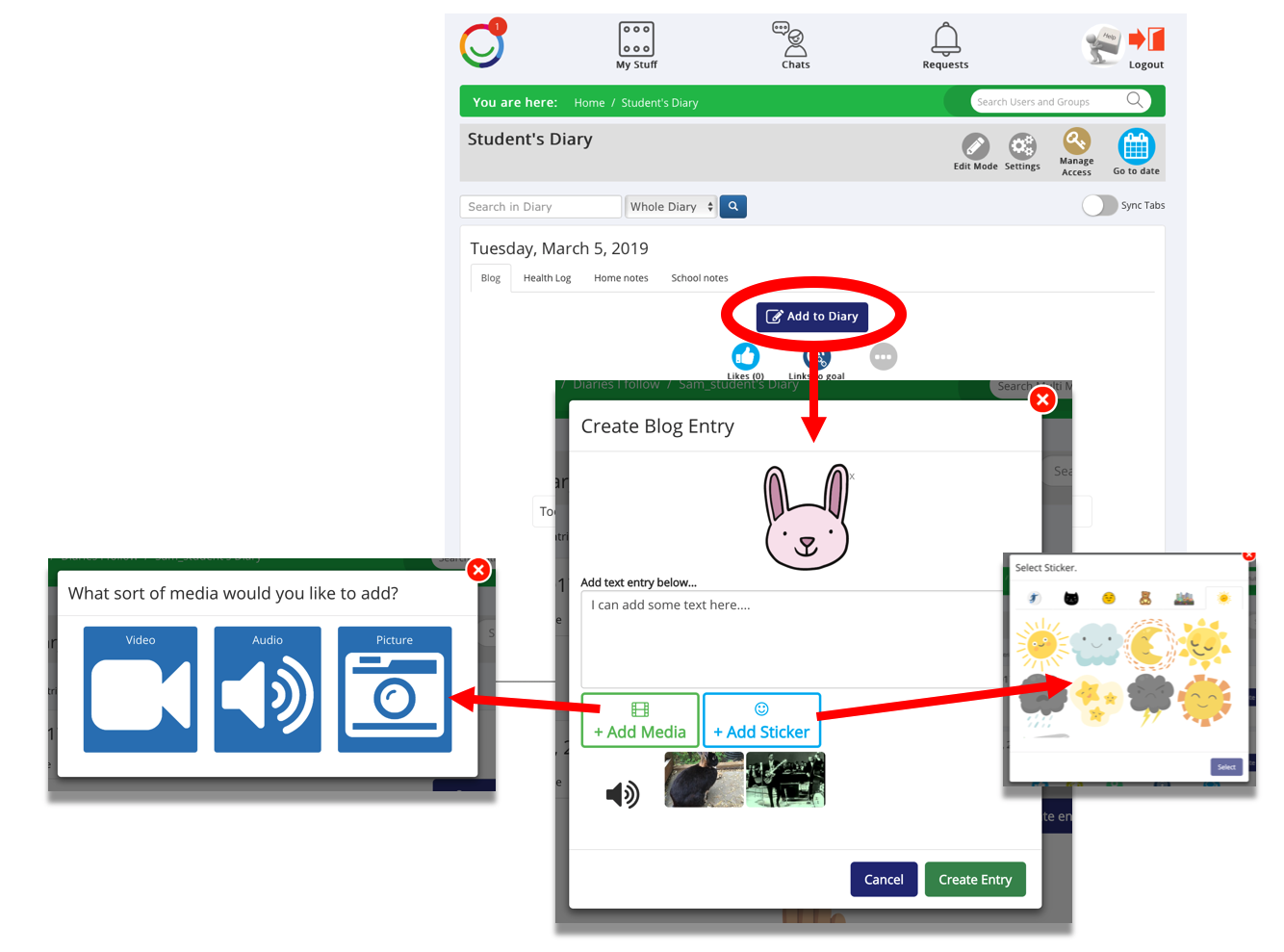
Read: You can add video, audio, pictures, text and stickers to your Diary blog page.
To add an entry simply:
- Click the ‘+Add to Diary’ button to open the add to Diary pop-up
- Add Text, a Sticker and multiple media options to the pop-up
- Click the ‘Add to Diary’ button when you have finished adding items to the pop-up.
TIPS:
- If you want to add an entry to a date in the past you can use the 'Go to date' function on the top right.
- You can add individual captions next to each media item after you have created the entry (see Editing your entry - add a Text caption to media).
Was this article helpful?
That’s Great!
Thank you for your feedback
Sorry! We couldn't be helpful
Thank you for your feedback
Feedback sent
We appreciate your effort and will try to fix the article