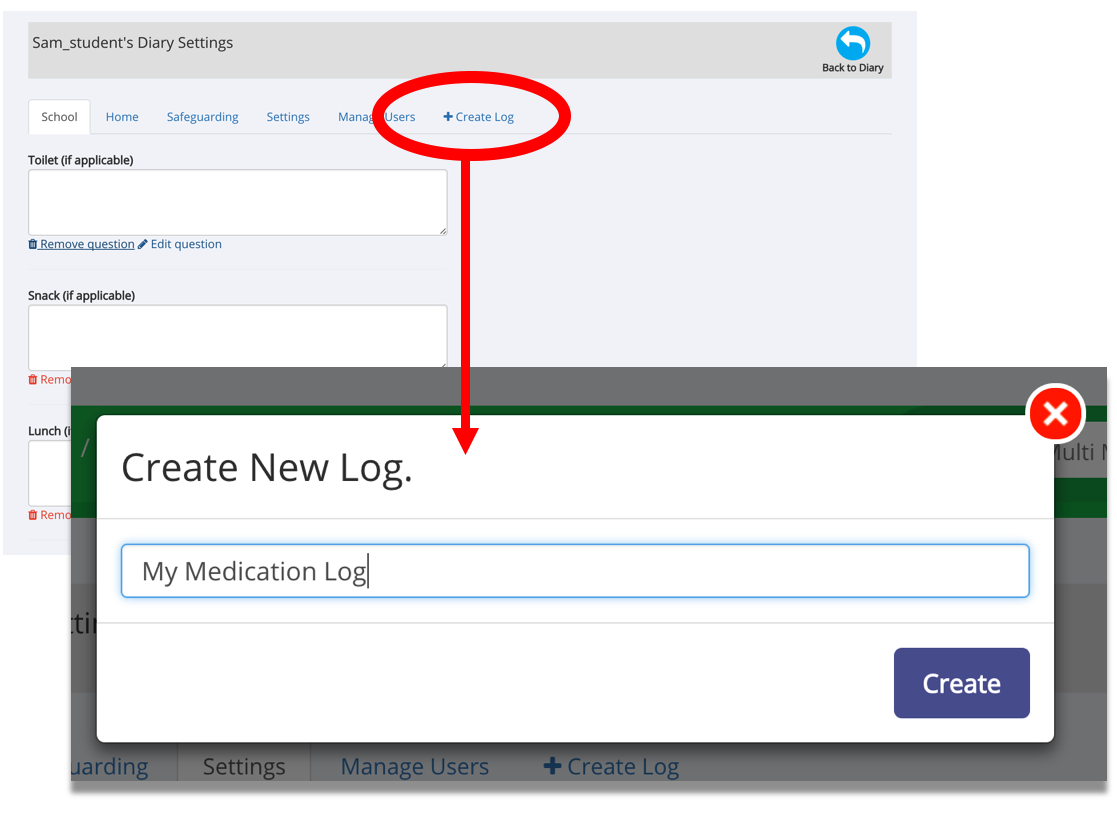
You can create up to four separate Logs for each Diary. To do this simply:
- Go to the Diary Settings page
- Click the ‘Create Log’ tab
- Name your Log and click 'Create'
NOTES:
- Each Log tab can have an unlimited number of Questions and Notes regarding the individual, users can comment on individual log entries
- You can delete/remove Logs by clicking on the Log tab, scrolling to the bottom and clicking the ‘Delete Log’ button
Was this article helpful?
That’s Great!
Thank you for your feedback
Sorry! We couldn't be helpful
Thank you for your feedback
Feedback sent
We appreciate your effort and will try to fix the article