In ‘Edit Mode’ you can drag and drop Sections to re-organise your Wiki.
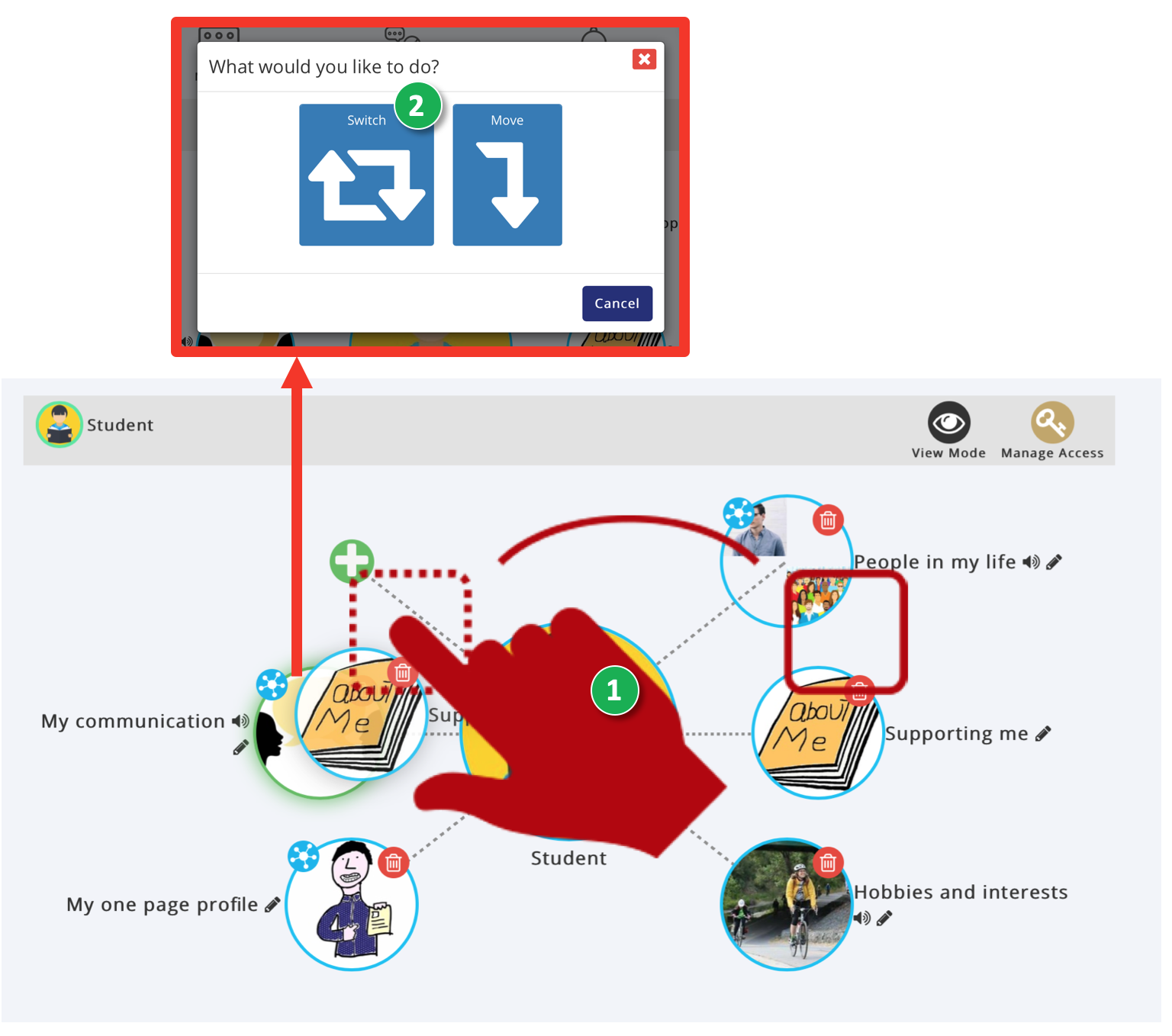
- Click on the Section you want to re-order and drag it to the Section you want to Switch places with in the Wiki menu.
- If there are multiple options displayed in a Pop-up choose ‘Switch’ to switch the Sections round in the Menu.
Was this article helpful?
That’s Great!
Thank you for your feedback
Sorry! We couldn't be helpful
Thank you for your feedback
Feedback sent
We appreciate your effort and will try to fix the article