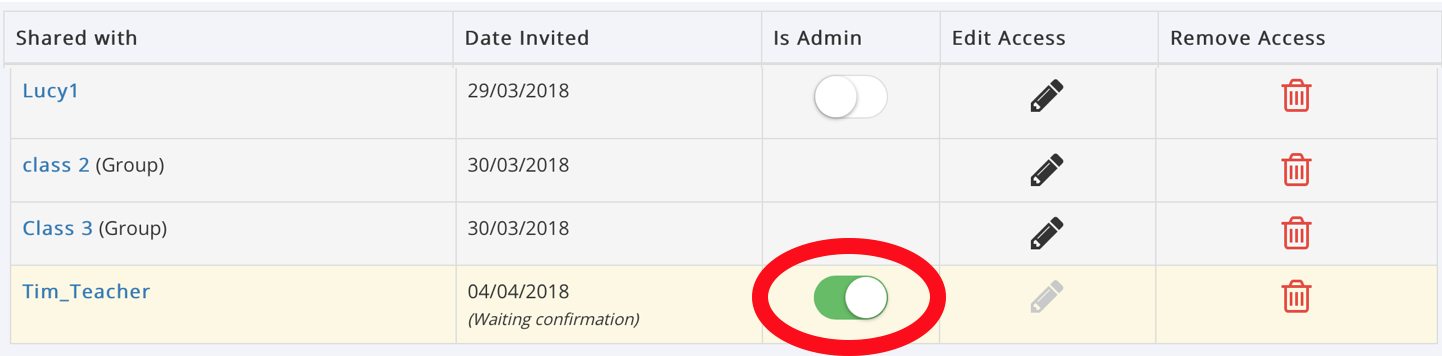
Once you have invited a user from the Wiki Owners Circle you can make them Admins of the Wiki in the Manage Access Table.
Simply switch ‘Is Admin’ on for this user to give the User full administrative rights over this Wiki
NOTE: You can also make a User a Wiki Admin from the 'Manage User Access' feature on the Supported Users' Circle page.
Was this article helpful?
That’s Great!
Thank you for your feedback
Sorry! We couldn't be helpful
Thank you for your feedback
Feedback sent
We appreciate your effort and will try to fix the article