As the Wiki Admin you can grant edit permissions of other Users invited to the Wiki by:
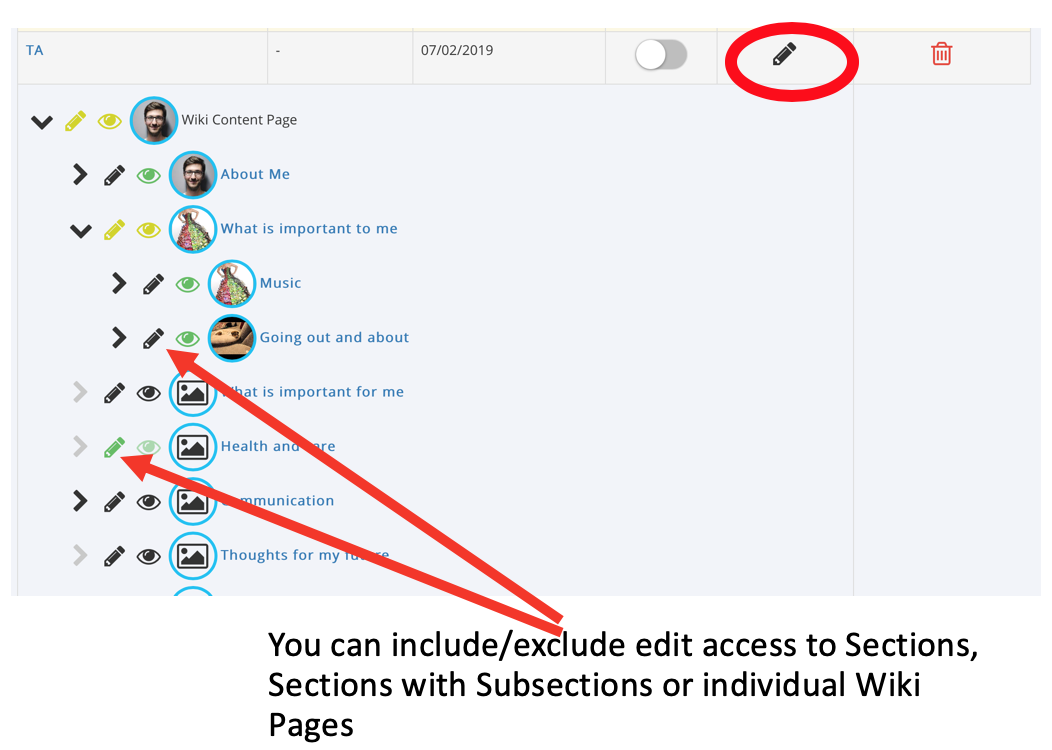
- Click on the ‘Edit Access’ pencil icon next to that User
- You can select ‘edit all’ by clicking the pencil icon at the top of the Wiki tree or you can collapse/expand different sections and include/exclude Wiki Subsections, Sections, Pages and even document and Weblink attachments
TIP: When you have finished editing permissions for the User click the edit access pencil icon again to hide the Tree.
Was this article helpful?
That’s Great!
Thank you for your feedback
Sorry! We couldn't be helpful
Thank you for your feedback
Feedback sent
We appreciate your effort and will try to fix the article