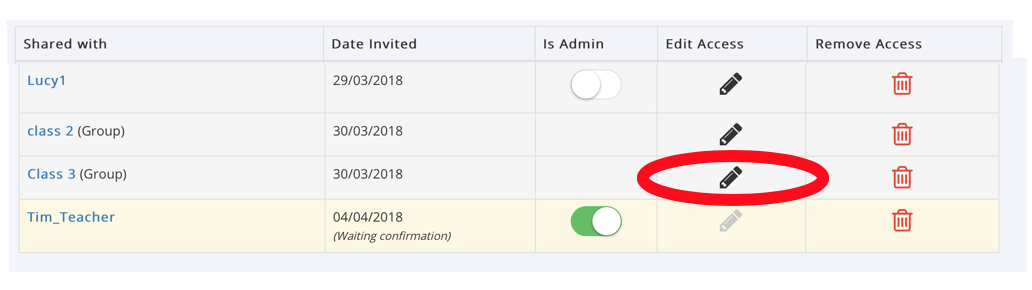
The Manage Access table will show you all users, groups and email access links that have been given in the Wiki.
When the User shares a part of the Wiki this will be shown in this table as either:
- My Circle (all Circle members)
- Specific Members of the individuals' Circle
- Groups that the individual is a member of
As Wiki Admin you can edit these permissions using the Permissions Tree by clicking the ‘Edit Access’ pencil icon
NOTE: As their Buddy you can Veto a Supported User's sharing including sharing of their Wiki, in the 'Manage this User', User Permissions Buddy Setting. Please see the Guide Vetoing a Wiki Owners' Sharing to do this.
Was this article helpful?
That’s Great!
Thank you for your feedback
Sorry! We couldn't be helpful
Thank you for your feedback
Feedback sent
We appreciate your effort and will try to fix the article