About My Calendar

Modified on Fri, 30 Oct at 3:30 PM

My Calendar helps you plan and organise your activities, appointments and events on Multi Me.

You can create your own events, invite people from your Circle, join Group events and set reminders so you don't forget important activities.

Your Calendar

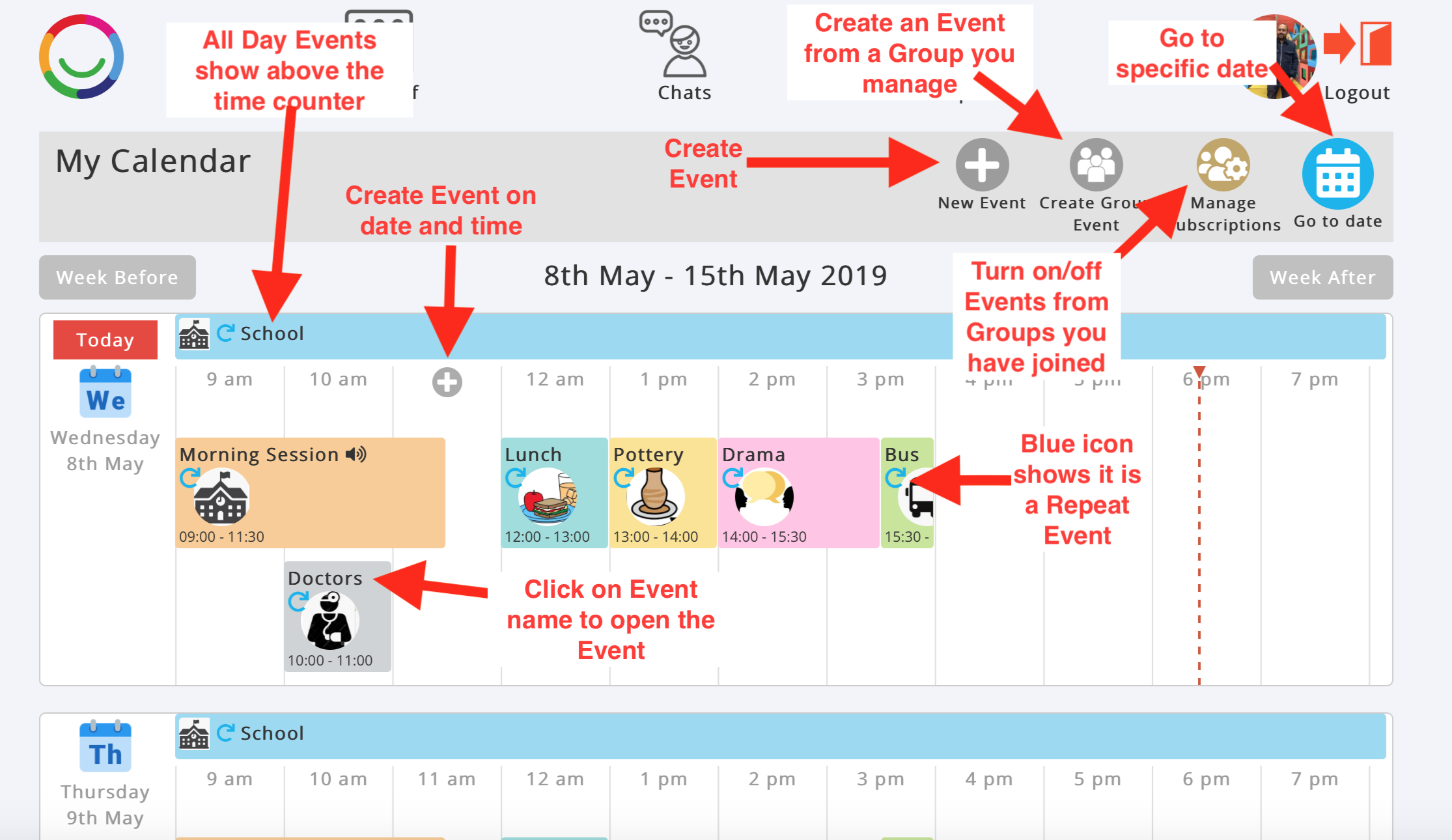
Your Calendar displays events by day and time, making it easy to see what's happening throughout the week.

From the Calendar page, you can:

  • New Event – Create an appointment or activity.

  • Find Events – Search for events you can join.

  • Create Group Holiday – Add holiday dates for a Group you manage.

  • Manage Subscriptions – Choose which Group events appear on your Calendar.

  • Go to Date – Jump to a particular date.

  • Week Before / Week After – Move backwards or forwards through your Calendar.

Click on an event to open its details.


Event Details

Each event has its own page where you can see more information and interact with other people attending.

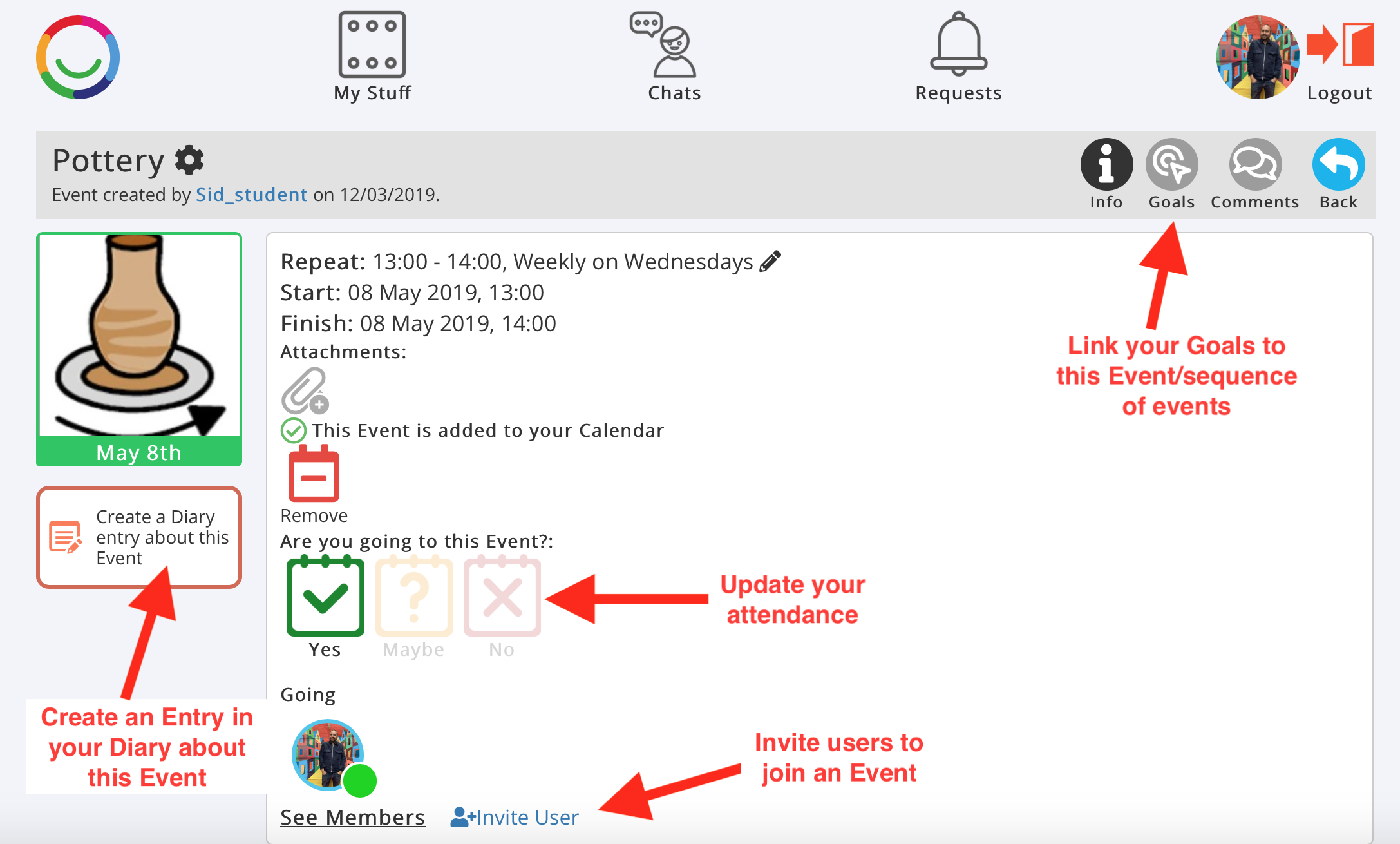
From an Event page, you can:

  • View Event Information – See the event's picture, date, time and attachments.

  • Set a Reminder – Receive a reminder about an upcoming event.

  • Respond to an Invitation – Select Yes, Maybe or No to indicate whether you are attending.

  • Invite Somebody – Invite another person to the event.

  • See All Members – View the people associated with the event.

  • Comments – Share comments and discuss the event.

  • Smart Goals – Link the event to your Goals.

  • Create a Diary Entry – Record what happened at the event in your Diary.

  • Add to Calendar – Add the event to Google Calendar, Apple Calendar or Outlook.

  • Remove – Remove an event from your Multi Me Calendar.


Personal and Group Events

Personal Events are activities or appointments you create yourself. You can invite other people to join you.

Group Events are organised by Group Admins. You can subscribe to Group events so they appear on your own Calendar.

Tip: You can use My Calendar alongside your Goals and Diary to plan activities, track what you're working towards and record your experiences afterwards.


Was this article helpful?

That’s Great!

Thank you for your feedback

Sorry! We couldn't be helpful

Thank you for your feedback

Let us know how can we improve this article!

Select at least one of the reasons
CAPTCHA verification is required.

Feedback sent

We appreciate your effort and will try to fix the article