Your password helps keep your Multi Me account safe.
Multi Me lets you use a written password or a picture password.
1. Written passwords
A written password uses letters, numbers or symbols.
To help keep your account safe:
Use at least 8 characters.
Choose a password that is difficult for other people to guess.
Avoid obvious passwords, such as your name or birthday.
Don't use the same password on other websites.
Don't share your password with other people.
A longer password is usually safer.
2. Picture passwords
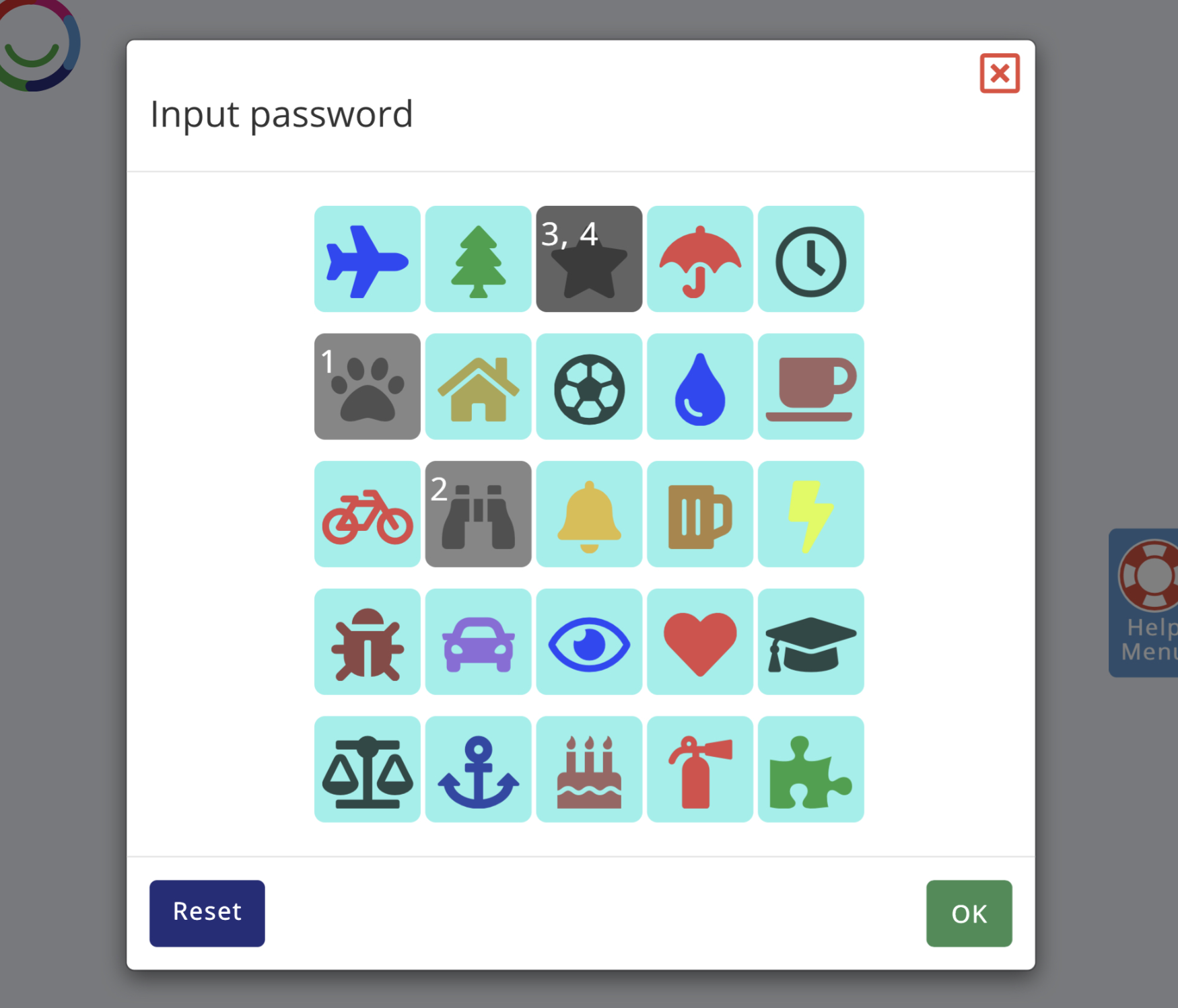
If you find written passwords difficult to remember, you can use a picture password.
Instead of typing letters, you choose pictures in a particular order.
To use a picture password:
Select the yellow key symbol next to the password box.
Choose your pictures in the correct order.
Select OK.
Remember to keep your picture password private, just like a written password.
3. Changing your password
Sign in to Multi Me.
Open My Account Settings.
Select My Password.
Enter your current password.
Choose your new written or picture password.
Confirm your new password.
Select Update password.
You can also watch our Getting Started – 5 Activities video guide for help changing your password.
4. Keep your account safe with two-step sign-in
We strongly recommend turning on two-step sign-in (also called multi-factor authentication or MFA) to help keep your Multi Me account secure.
Two-step sign-in adds an extra layer of protection to your account.
Even if someone discovers your password, they will still need an additional way to confirm it's really you.
You can set this up under My Account Settings → Security.
For step-by-step instructions, read our guide:
[How to set up two-step sign-in on Multi Me]
Need some help?
Ask your Buddy, support worker or someone you trust to help you understand how to create a secure password.
Remember to keep your password private.
Was this article helpful?
That’s Great!
Thank you for your feedback
Sorry! We couldn't be helpful
Thank you for your feedback
Feedback sent
We appreciate your effort and will try to fix the article