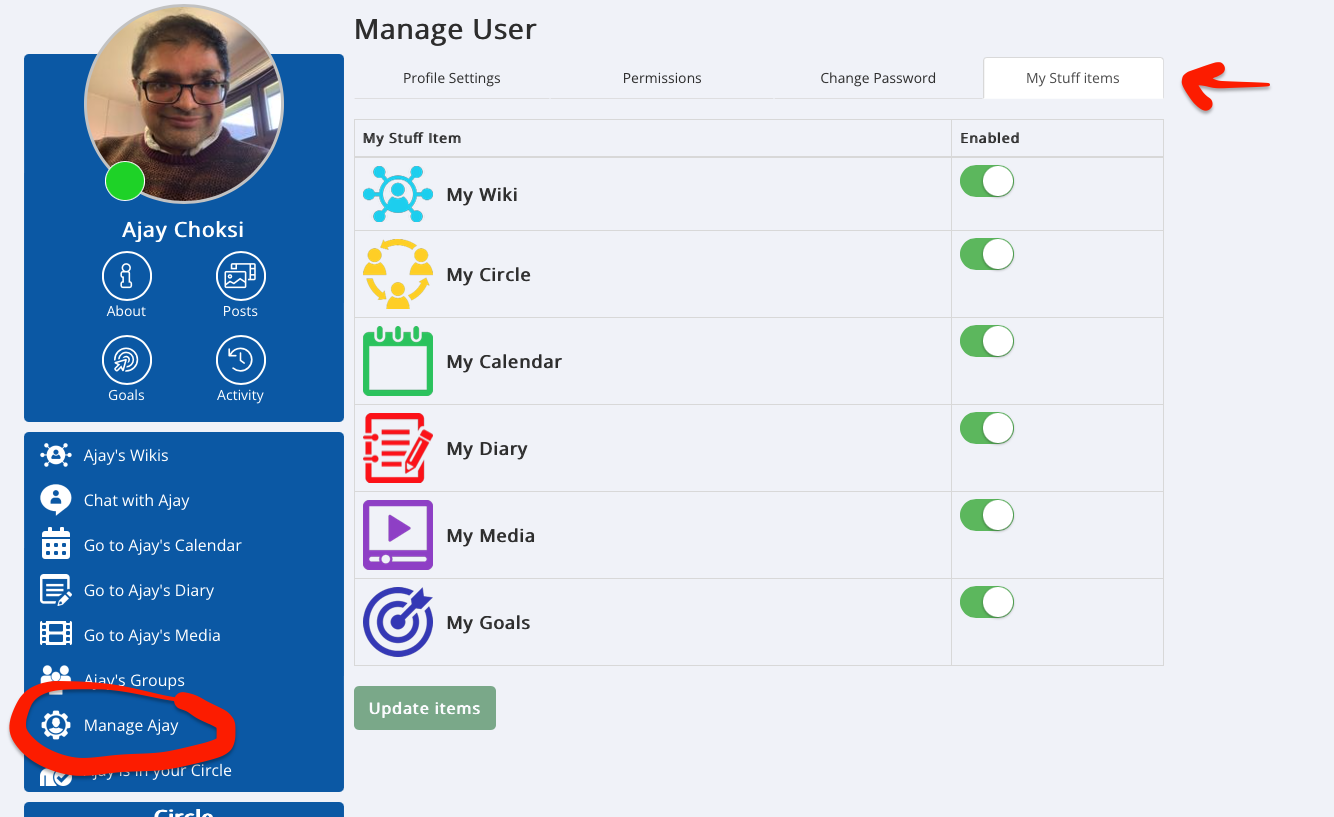
As a Buddy of a Supported User you can switch on or off items on their My Stuff dashboard to simplify and personalise their experience.
1. As Buddy go to the Supported Users profile page
2. Click 'Manage user'
3. in Manage user area click on the 'My Stuff items' tab
4. Select the items you want to show (By default Goals are deselected)then click 'Update items'
Was this article helpful?
That’s Great!
Thank you for your feedback
Sorry! We couldn't be helpful
Thank you for your feedback
Feedback sent
We appreciate your effort and will try to fix the article