As a Diary Admin or Buddy, you can create a PDF report containing selected Diary entries, logs and questions for a specific date range.
How to create a Diary report
Open the person's Diary.
Click Show More Options (•••) and select Exports.
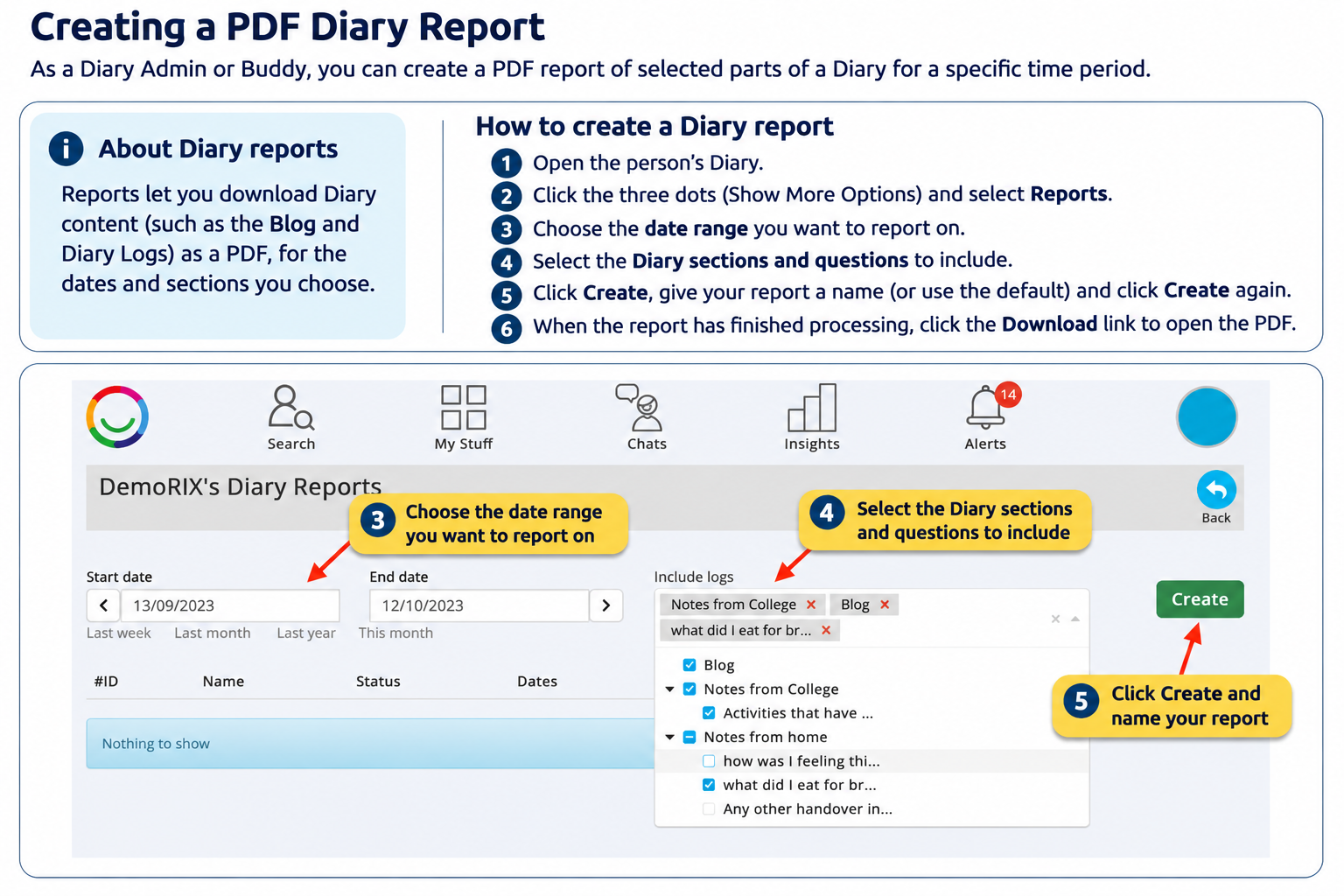
Choose the start and end dates for your report.
Under Include Logs, select the Diary sections you want to include. Expand individual logs to select specific questions.
Click Create and enter a name for your report, or keep the default name.
Once the report has finished processing, click the download link to save your PDF.
Note: Only include information you need and make sure the completed report is stored and shared securely.
Was this article helpful?
That’s Great!
Thank you for your feedback
Sorry! We couldn't be helpful
Thank you for your feedback
Feedback sent
We appreciate your effort and will try to fix the article