Exporting a Goal to PDF
You can easily export an entire Goal to PDF, including:
- Goal details (About section)
- Current Goal status
- Goal steps, their status, and comments
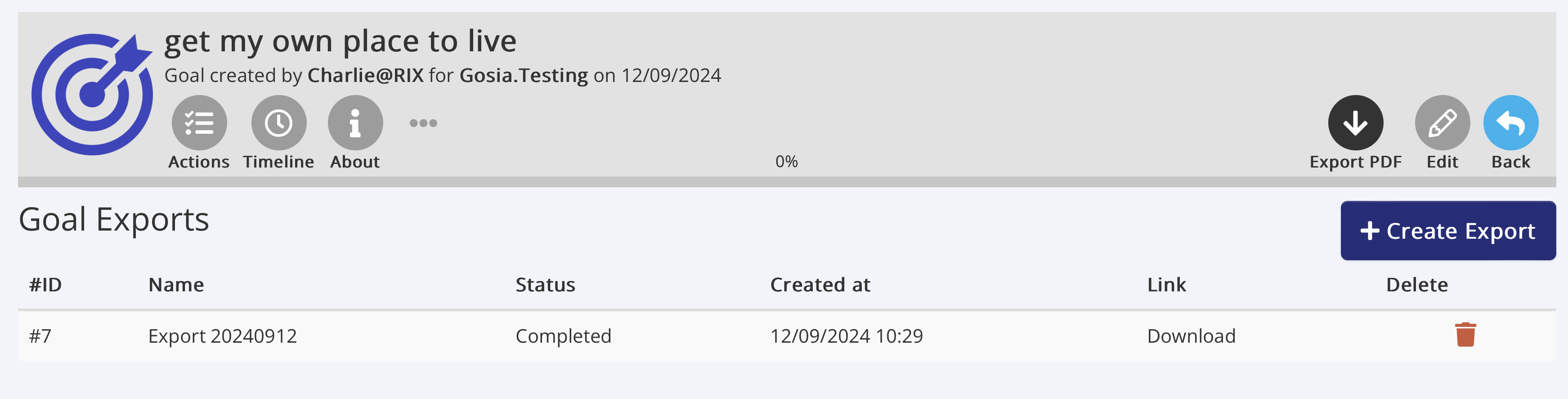
To export a Goal:
- Open the Goal you want to export.
- Click the 'Export PDF' icon.
- Click 'Create Export'.
- Enter a name for your report or keep the default name.
- Click 'Create'.
Your report will appear in the list below. It may take a moment to process. Once ready, click the 'Download' link to open or save the PDF.
Note: Organisations can customise the terminology in Multi Me, so if you've renamed "Goals" or "Steps" to terms like "Targets" or "Objectives," your custom terminology will appear in the PDF report.
Was this article helpful?
That’s Great!
Thank you for your feedback
Sorry! We couldn't be helpful
Thank you for your feedback
Feedback sent
We appreciate your effort and will try to fix the article