The Insights area in Multi Me provides a powerful overview of user activity, progress, and engagement across the platform. It’s designed for Managers, Keyworkers, Buddies, and Portal Admins to monitor and reflect on what’s happening with the individuals they support.
What It Offers:
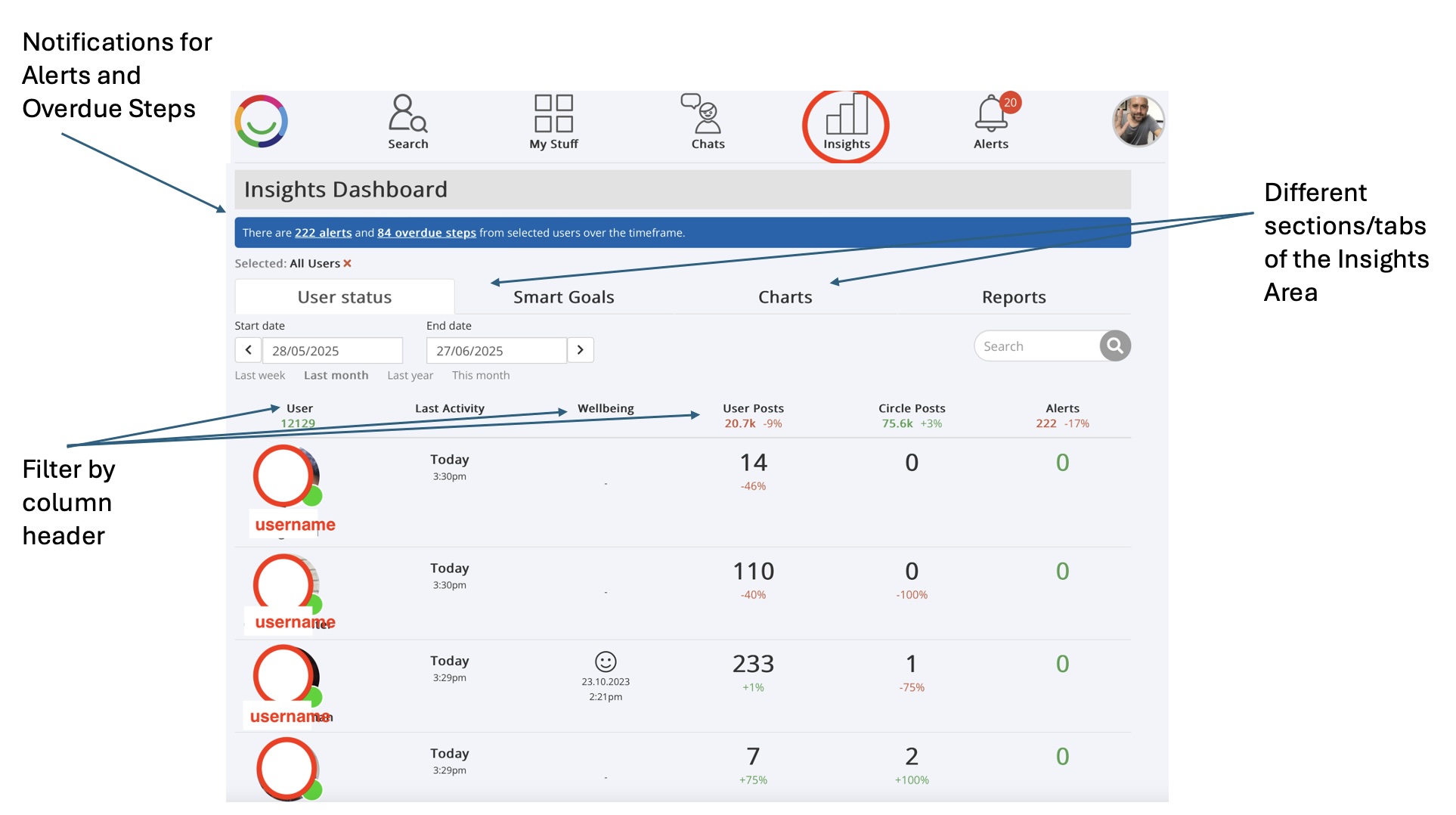
The Insights area is divided into four key tabs:
Overview/User Stats – A high-level summary of activity across users
Goals – Tracks goal status, progress, outcomes, and life areas impacted
Charts – Visualises diary entries, wellbeing, system use, media uploads, alerts, and more over time
Reports – A central space to view and download saved reports in CSV format
Key Features:
Select individual users or groups to analyse
Choose a timeframe to focus on a specific period
Interactive charts and tables for deeper exploration
Export data to CSV to support reporting, reviews, and service planning
Why Use It:
For Managers and Keyworkers, the Insights area helps:
Monitor goal progress and identify support needs
Track daily engagement and wellbeing across users
Reflect on outcomes and areas of development
Generate reports for care reviews, audits, and planning meetings
It’s a tool for staying informed, identifying patterns, and ensuring each individual is receiving meaningful, person-centred support.
Was this article helpful?
That’s Great!
Thank you for your feedback
Sorry! We couldn't be helpful
Thank you for your feedback
Feedback sent
We appreciate your effort and will try to fix the article