Setting Half-Termly Lesson Objectives
Every term, you must set half-termly objectives for each of the recurring lessons you teach. These are overall objectives for the lesson across the term (not the individual lesson objectives you set for each learner – those are managed through the Ongoing Records feature, see help article).
When to set objectives:
Before the start of each term.
At the beginning of every new term, you can add a new set of half-termly objectives.
How to set half-termly objectives:
Click on any recurrence of the lesson you teach.
At the top, click the plus (+) button next to Half-Termly Objective.
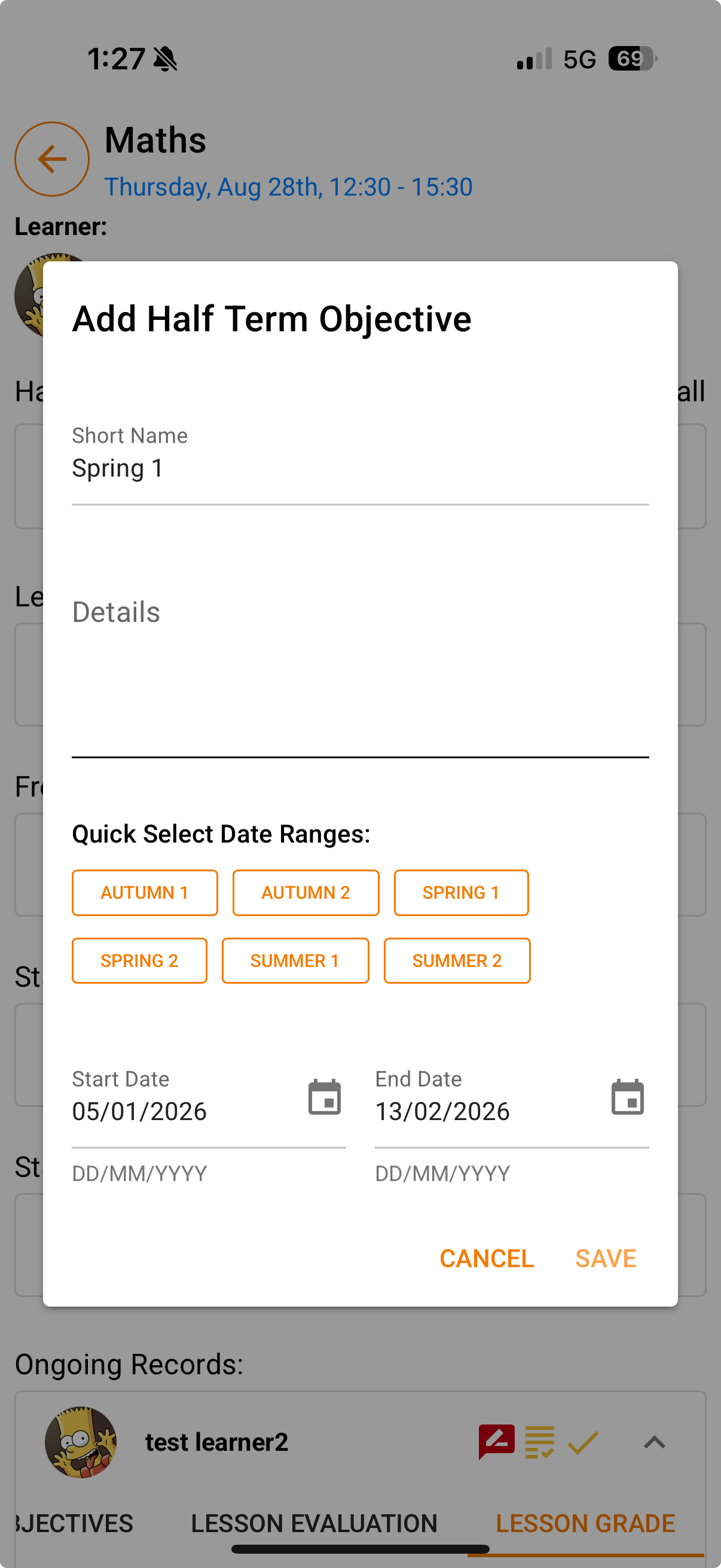
In the pop-up window:
Choose the term range from the Quick Select section.
Add the lesson objectives you will be covering for that term.
Save your objectives.
What you’ll see:
Each lesson will display all the half-termly objectives you have set throughout the year.
The current term’s objectives will always be shown first.
Was this article helpful?
That’s Great!
Thank you for your feedback
Sorry! We couldn't be helpful
Thank you for your feedback
Feedback sent
We appreciate your effort and will try to fix the article