Setting Learner Attendance and Drop-Off Status
You can record attendance and drop-off status for both current and past lessons.
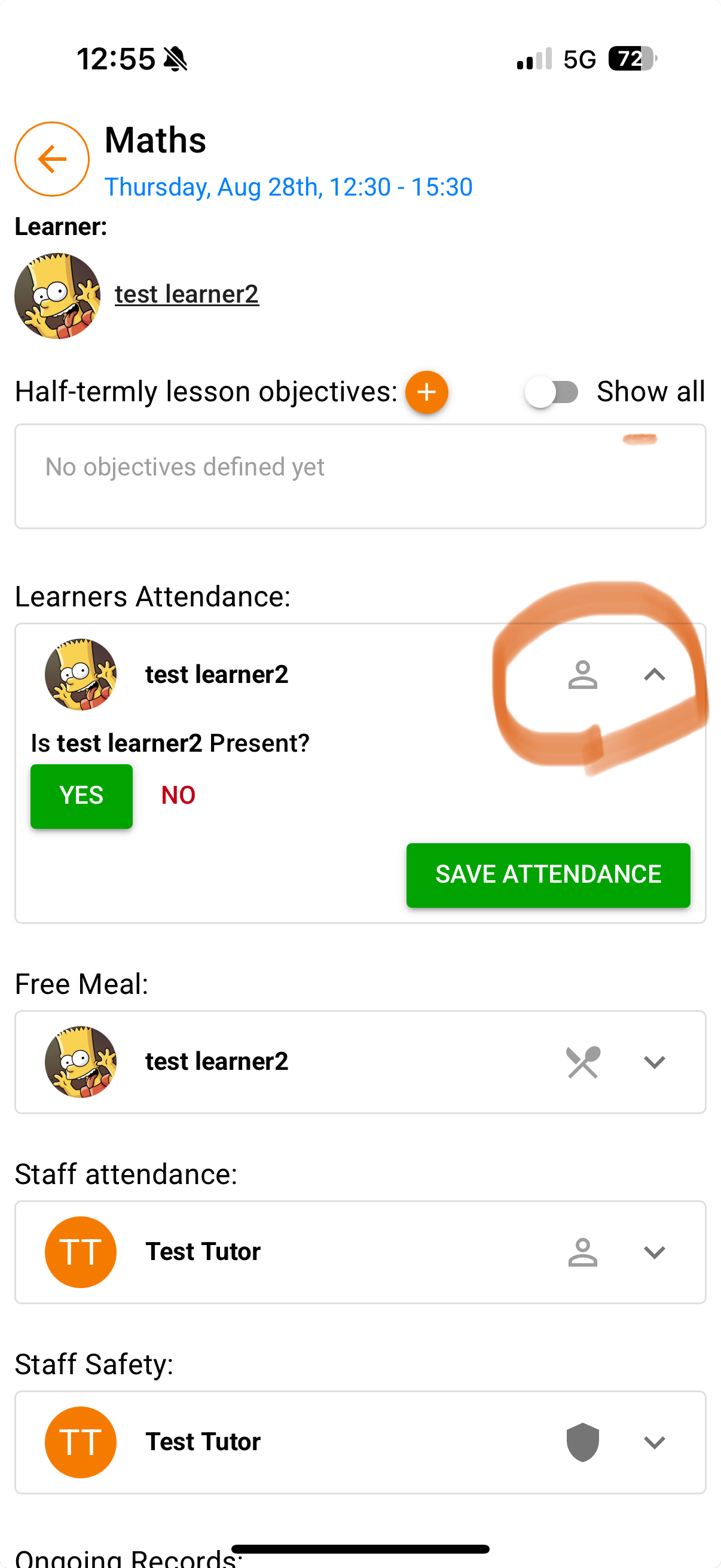
Go to your Lessons list and click on the lesson you want.
Click on the learner’s name to expand the attendance options.
Choose Yes (present) or No (absent).
If you choose No, a Learner Absence Form will appear. Fill it in, then click Save.
If you choose Yes, a second box will appear asking if the learner has been dropped off safe and well.
Select Yes or No, then click Save.
If you select No, a Safeguarding Form will appear. Fill it in, then click Save.
To remove your answer, click the dustbin icon.
Was this article helpful?
That’s Great!
Thank you for your feedback
Sorry! We couldn't be helpful
Thank you for your feedback
Feedback sent
We appreciate your effort and will try to fix the article