Change Your Password
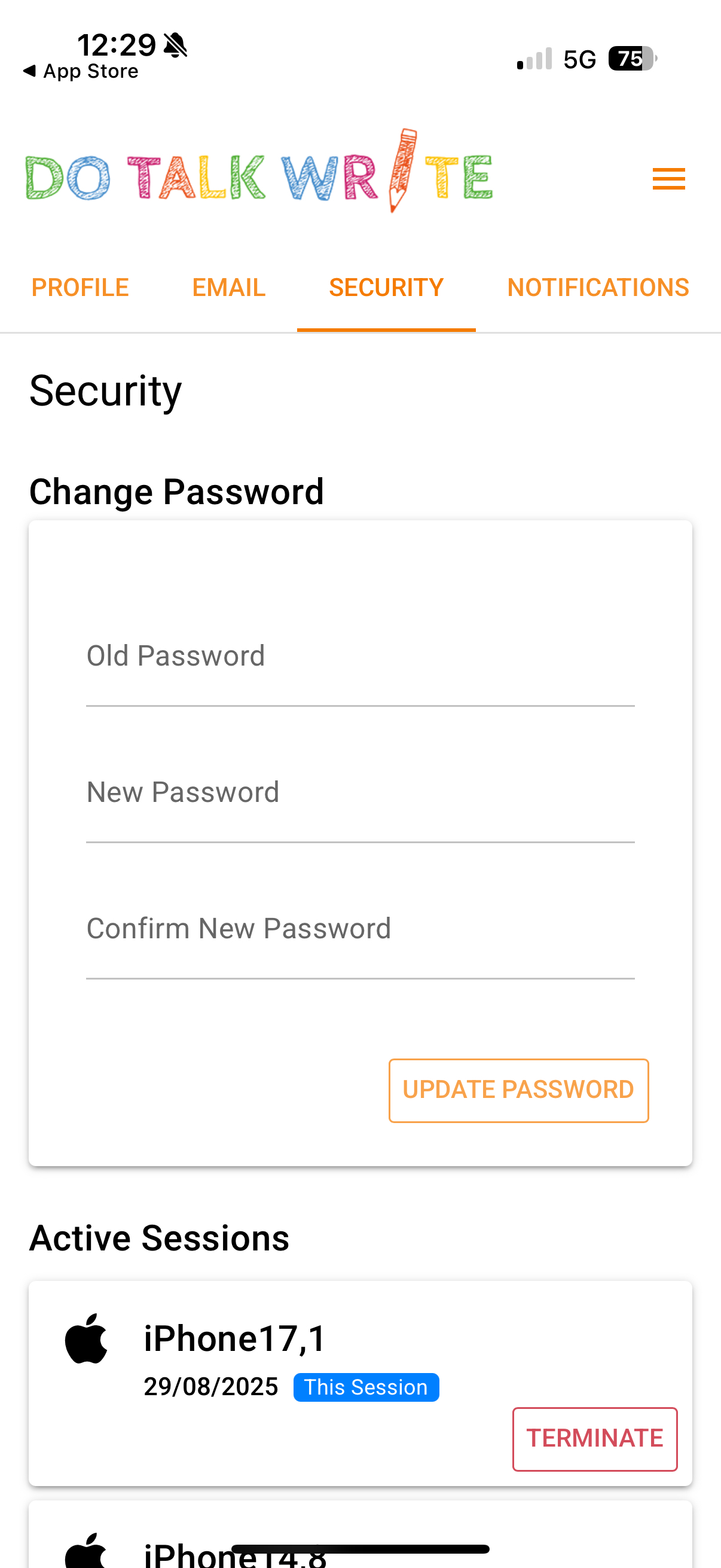
You can update your password to something more secure (and easier for you to remember) by following these steps:
Open Account Settings – click the three lines (hamburger menu) in the top right corner of the screen.
Select the Security tab.
Enter your current password.
Type in your new password, then confirm it.
Click Update to save your changes.
Was this article helpful?
That’s Great!
Thank you for your feedback
Sorry! We couldn't be helpful
Thank you for your feedback
Feedback sent
We appreciate your effort and will try to fix the article