As a Buddy, you can give individual Circle members access to specific Smart Goals belonging to a Supported User.
This allows you to choose which Goals each person can see and support.
How to Give Access to Smart Goals
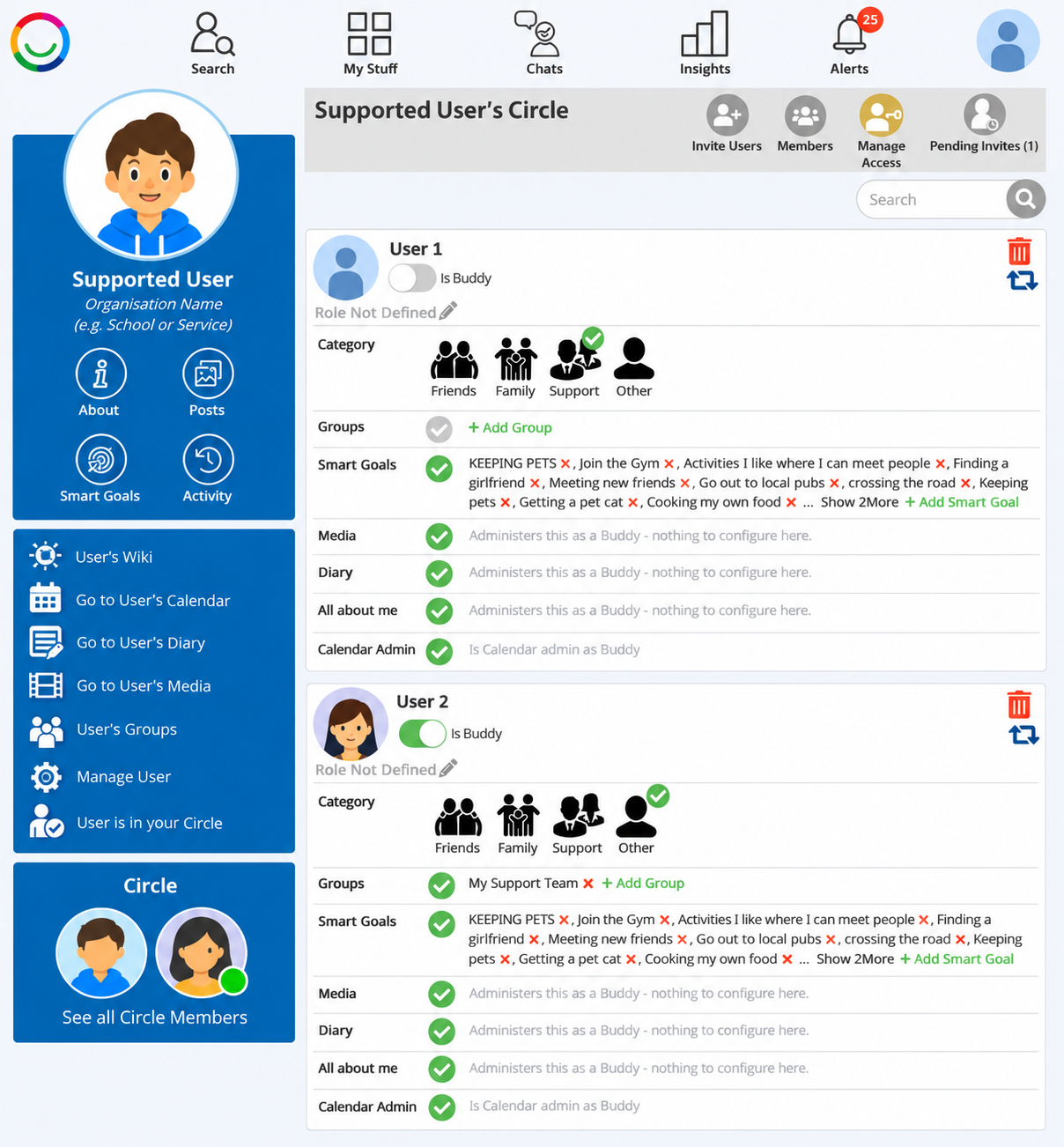
Log in as the Buddy and open the Supported User's Circle.
Click Manage Access.
Find the Circle member you want to give access to.
Under Smart Goals, click + Add Smart Goal.
A window will open showing the Supported User's available Smart Goals.
Select the Goals you want to share with that person. A green tick will appear on each selected Goal.
Click Select to save your changes.
The selected Smart Goals will now appear under that Circle member's access settings.
Removing Access
To remove someone's access to a Smart Goal:
Return to Manage Access.
Find the relevant Circle member.
Under Smart Goals, click the red X beside the Goal you want to remove.
Important
Buddies already have administrator access to the Supported User's Smart Goals, so their access does not need to be configured individually.
Other Circle members can be given access to selected Goals without automatically gaining access to all the Supported User's Goals.
Was this article helpful?
That’s Great!
Thank you for your feedback
Sorry! We couldn't be helpful
Thank you for your feedback
Feedback sent
We appreciate your effort and will try to fix the article