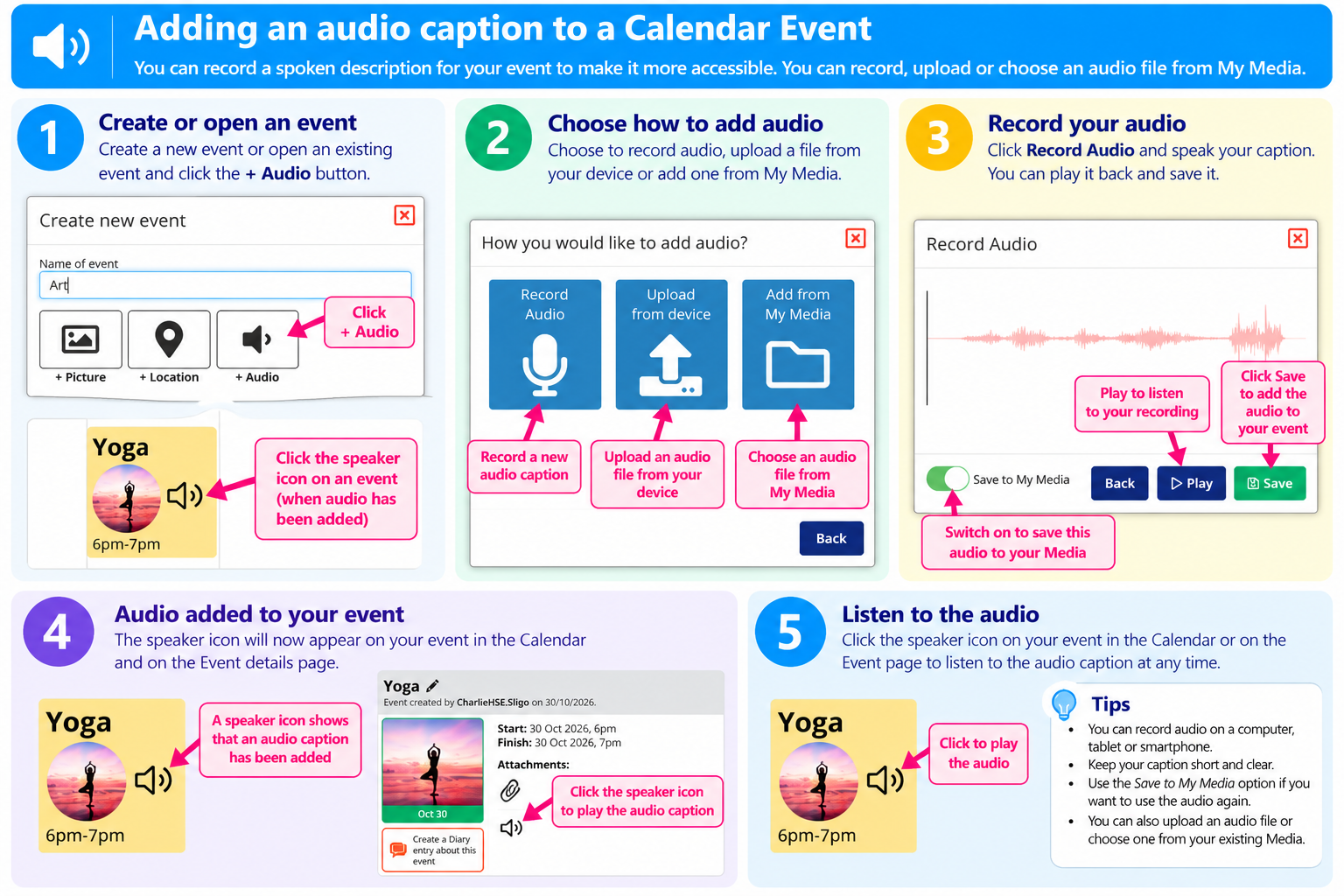
You can make your Multi Me Calendar more accessible by adding an audio caption to an Event.
Audio captions allow you to record a spoken description of an Event, making it easier for people who prefer listening rather than reading.
You can add audio captions using a computer, tablet or smartphone.
Once added, click the speaker icon on the Calendar or Event details page to listen to the recording.
Watch the video below to see how to add an audio caption to a Calendar Event.
Was this article helpful?
That’s Great!
Thank you for your feedback
Sorry! We couldn't be helpful
Thank you for your feedback
Feedback sent
We appreciate your effort and will try to fix the article