You can update a Wiki Page at any time to change its title, picture, video, description or audio.
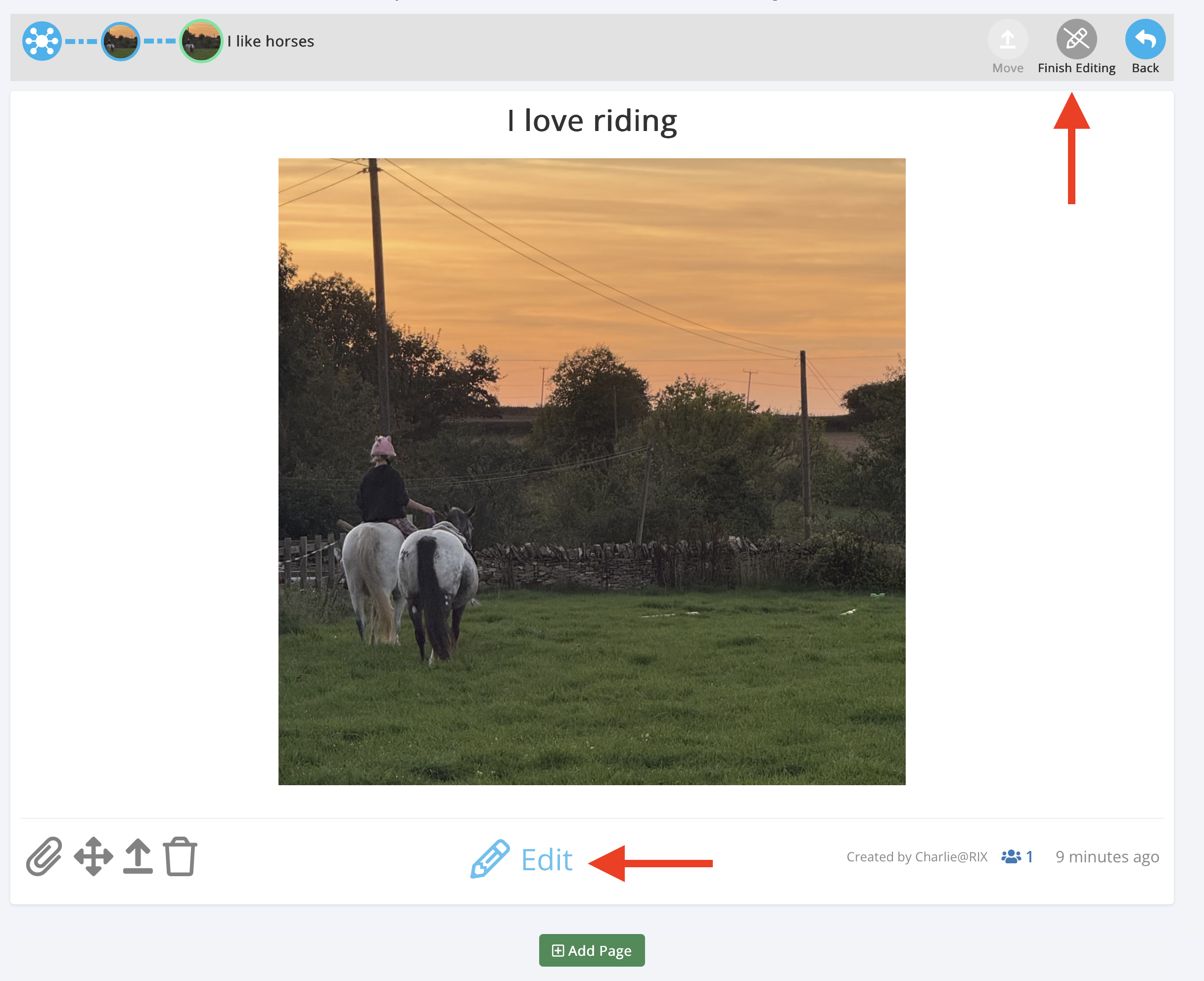
Steps to edit a Wiki Page
Open My Wiki and go to the Section containing the Page you want to change.
Click Edit to switch on editing mode.
Scroll to the Page you want to update.
Click the Edit button (pencil icon) at the bottom of that Page.
Update the Page contents as needed, including the title, media, description, audio or location.
Click Save to keep your changes.
Click Finish Editing when you're done.
Tip: A Wiki Section can contain several Pages. Scroll down to find the one you want to edit.
Was this article helpful?
That’s Great!
Thank you for your feedback
Sorry! We couldn't be helpful
Thank you for your feedback
Feedback sent
We appreciate your effort and will try to fix the article