You can delete an individual Wiki Page if you no longer need it.
⚠️ Important: Deleting a Wiki Page permanently deletes all its content, including pictures, videos, audio, text and attachments. This cannot be undone or recovered.
Steps to delete a Wiki Page
Open My Wiki and navigate to the Page you want to delete.
Click Edit to switch on editing mode.
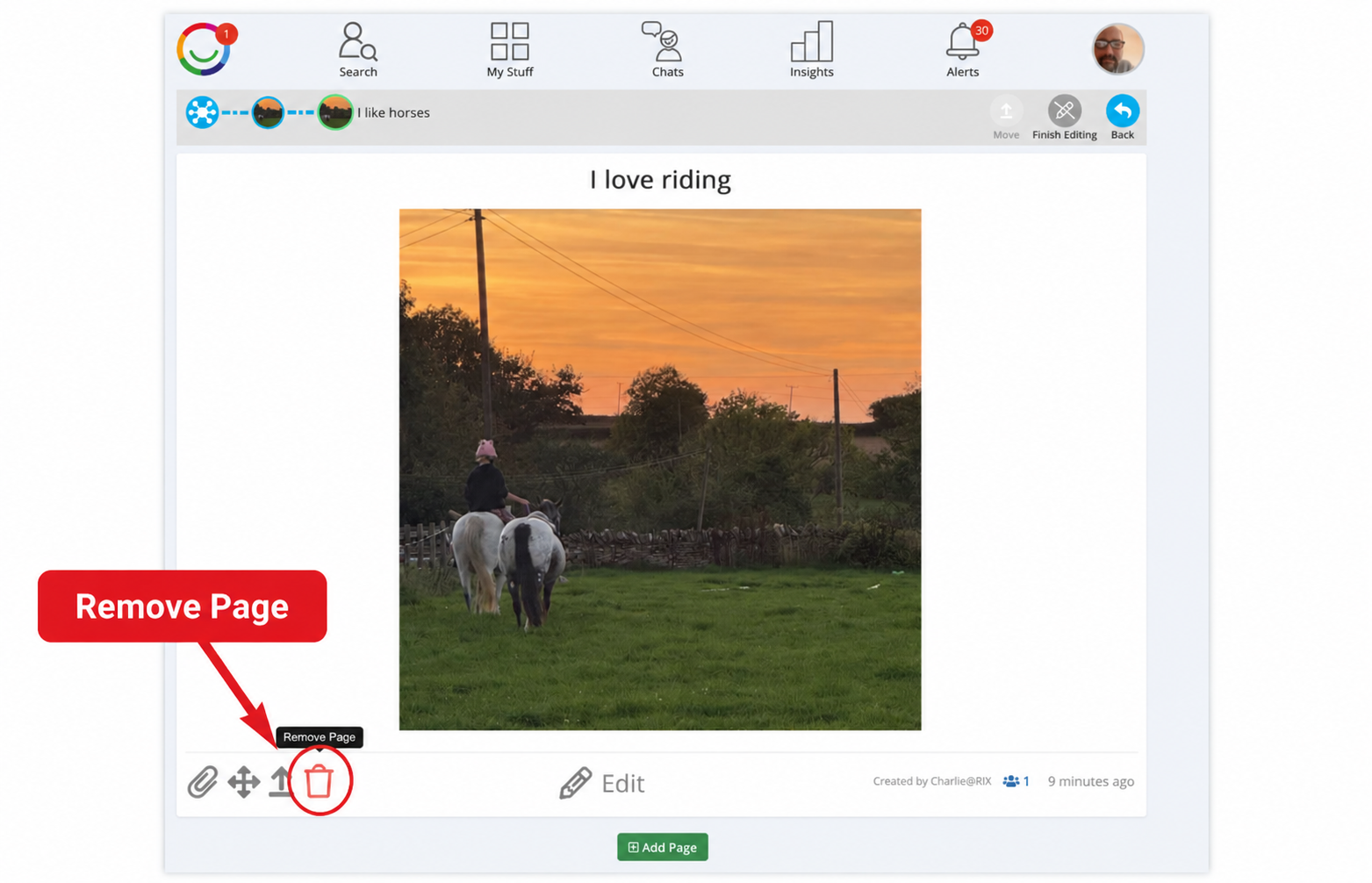
Find the dustbin icon (Remove Page) at the bottom left of the Page, as shown below.
Click Remove Page and confirm the deletion if prompted.
Click Finish Editing when you're done.
Please check carefully before deleting. If you want to keep the Page, you can move it to another Section of your Wiki, or to another Wiki you have access to.
Was this article helpful?
That’s Great!
Thank you for your feedback
Sorry! We couldn't be helpful
Thank you for your feedback
Feedback sent
We appreciate your effort and will try to fix the article