You can add attachments to your Wiki Pages to share extra information, useful websites or places.
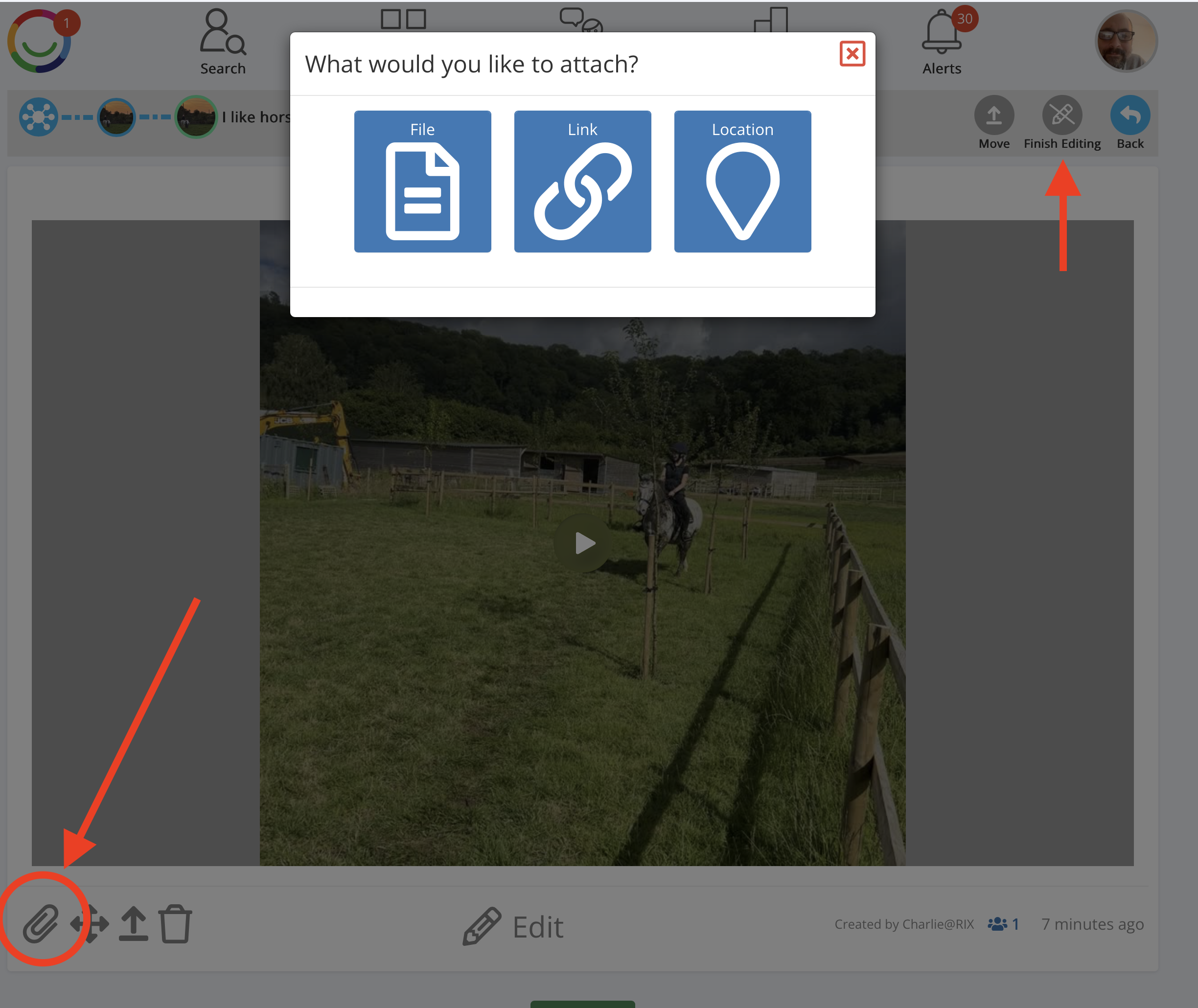
How to add an attachment
Open your Wiki and find the Page you want to add an attachment to.
Click Edit to switch on editing mode.
Click the paperclip icon at the bottom left of the Page.
In the What would you like to attach? window, choose one of the following:
File – Attach a document or other file
Link – Add a web link to a useful website or online resource.
Location – Add a place or map location.
Follow the instructions to add your chosen attachment.
Click Finish Editing when you're done.
Viewing attachments
Attachments appear with the Wiki Page so people who have access to it can open the files, follow the links or view the locations you've added.
Tip: Attachments are useful for adding supporting information without making your Wiki Page too long. It is best to save your document file to PDF format first before you upload.
Was this article helpful?
That’s Great!
Thank you for your feedback
Sorry! We couldn't be helpful
Thank you for your feedback
Feedback sent
We appreciate your effort and will try to fix the article