You can invite somebody by email to view the Wiki by Access Link. The person will receive an email with a link and instructions to view the Wiki Sections that have been shared.
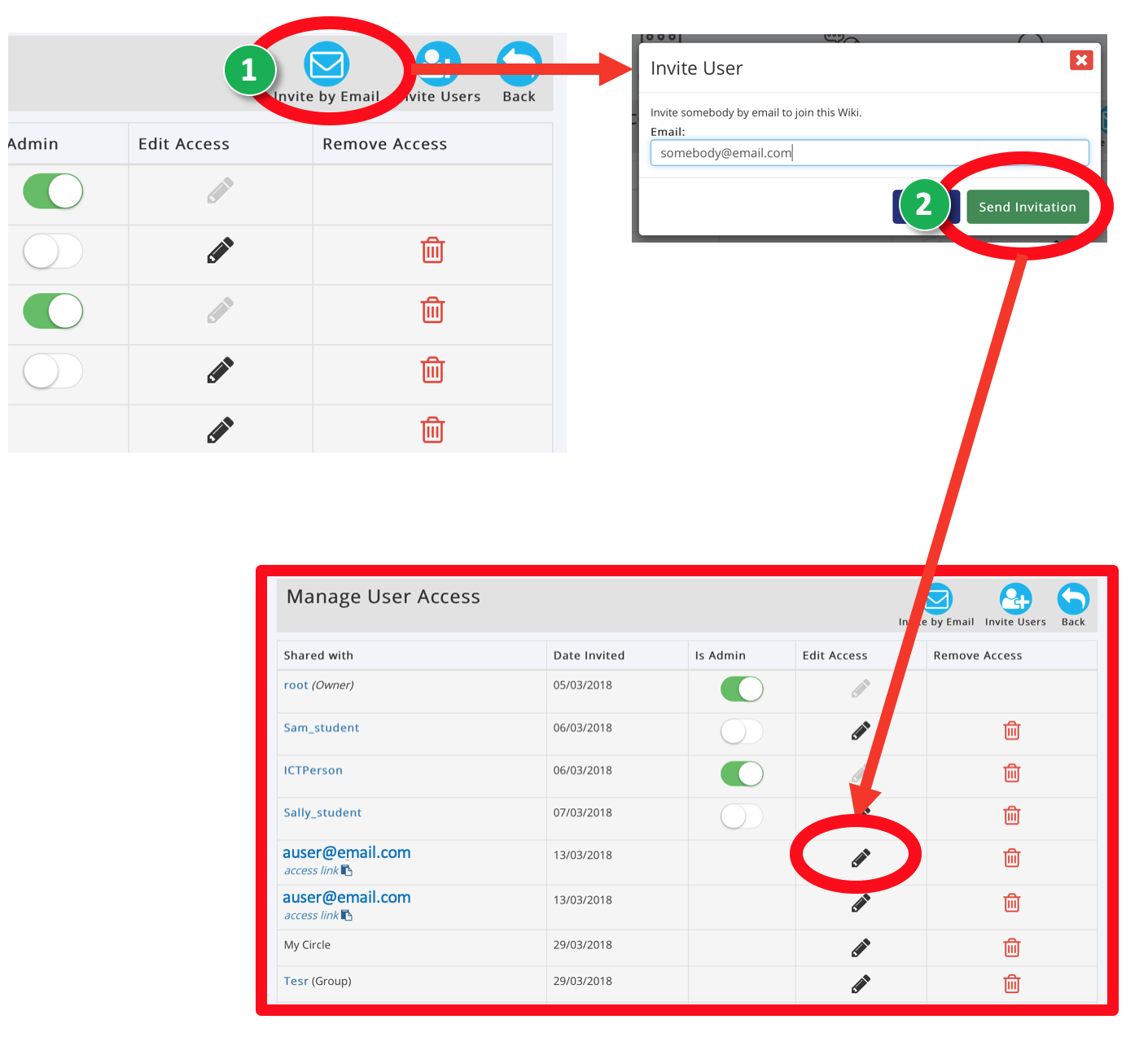
- Click the ‘Invite by Email’ icon in the Manage Access area
- Add the person’s email address. Click ‘Send Invitation’
- In the table edit the Users viewing permissions using the ‘Edit Access’ button and Wiki Permissions Tree.
TIP: You can copy this Access Link and paste it to share
Was this article helpful?
That’s Great!
Thank you for your feedback
Sorry! We couldn't be helpful
Thank you for your feedback
Feedback sent
We appreciate your effort and will try to fix the article