If a Supported User has forgotten their password, their Buddy may be able to help them reset it.
This is especially useful if the Supported User does not have an email address linked to their Multi Me account.
How to reset their password
Sign in to your own Multi Me account.
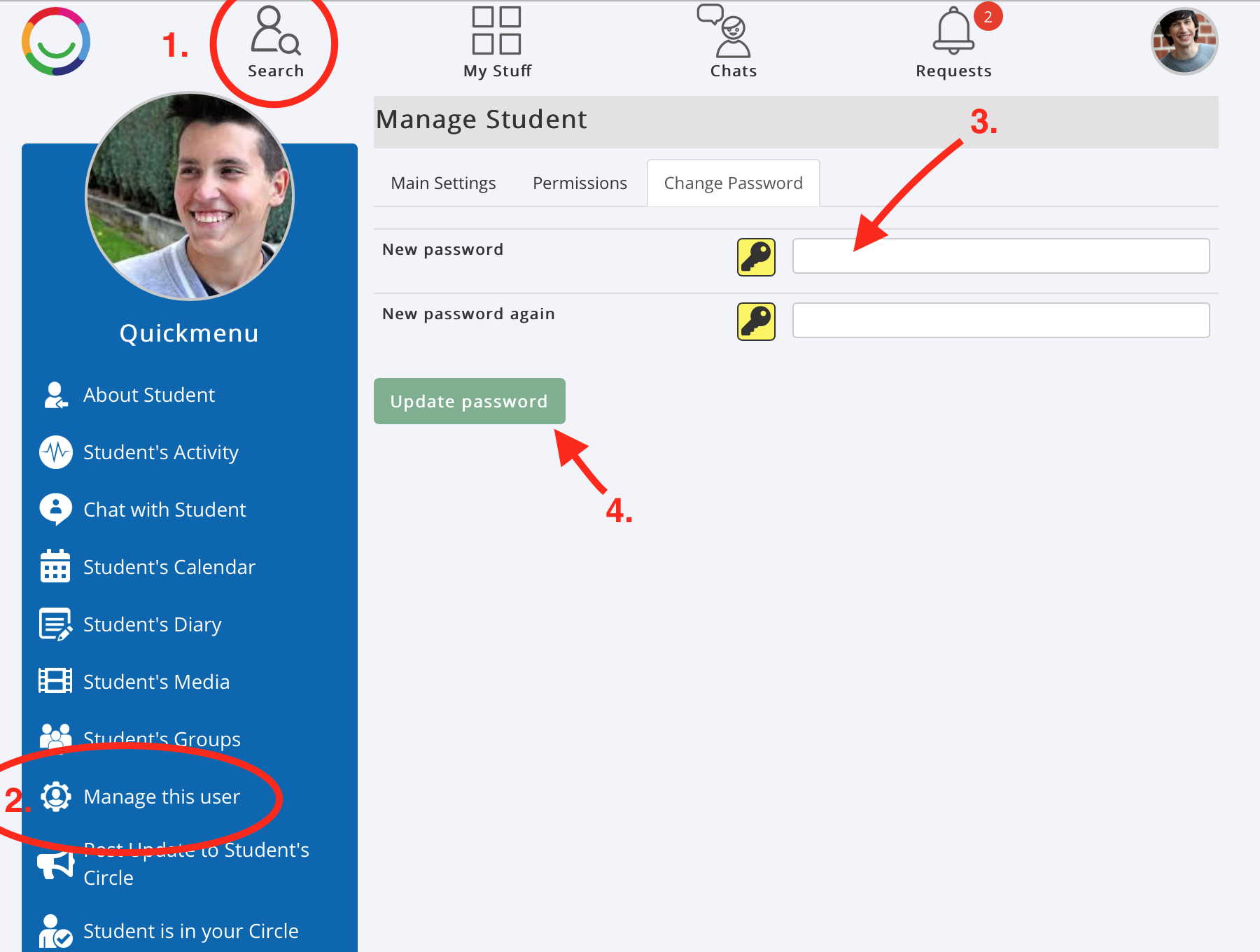
Select Search at the top of the screen and find the Supported User.
Open their profile.
Select Manage this User. On a mobile device, you may need to select Show More.
Open the Change Password tab.
Enter a new password and enter it again to confirm.
Select Update Password.
You must be an authorised Buddy with permission to manage the Supported User's account.
Keeping their account secure
Help the Supported User choose a password they can remember but that other people cannot easily guess.
If the Supported User has a registered email address, they may also be able to use the Forgotten Password option on the sign-in page.
For more information, visit our Account Security guides.
Was this article helpful?
That’s Great!
Thank you for your feedback
Sorry! We couldn't be helpful
Thank you for your feedback
Feedback sent
We appreciate your effort and will try to fix the article