You can change your Multi Me password at any time.
If you've forgotten your password or need help changing it, there are other ways to get back into your account.
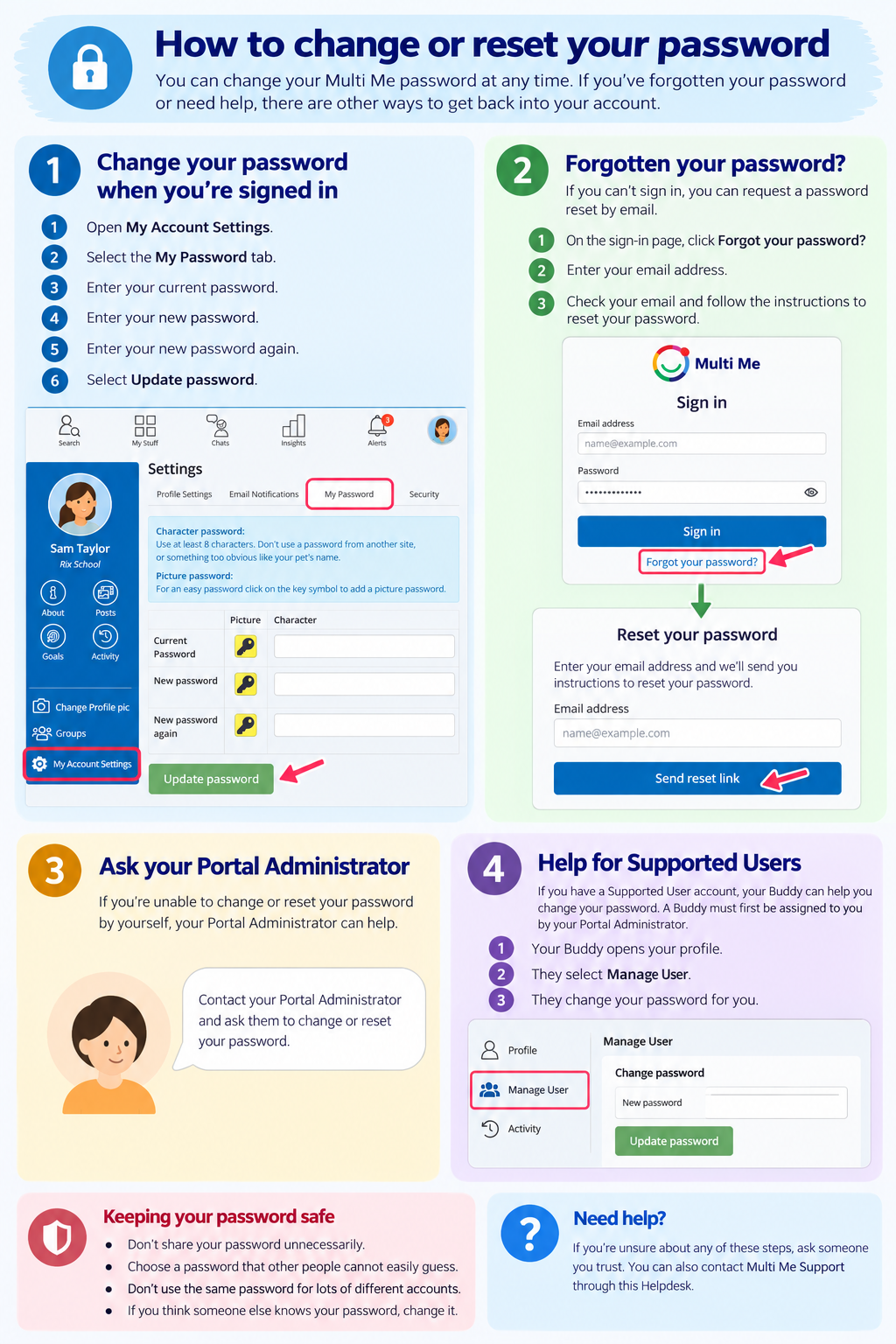
1. Change your password when you're signed in
Open My Account Settings.
Select the My Password tab.
Enter your Current Password.
Enter your New password.
Enter your new password again to confirm it.
Select Update password.
Your new password should have at least 8 characters. Choose something difficult for other people to guess and don't reuse a password from another website.
Using a picture password?
Multi Me also supports picture passwords. Select the yellow key symbol to use a picture password instead of typing characters.
2. Forgotten your password?
If you can't sign in because you've forgotten your password, you can request a password reset by email.
Follow the password reset instructions on the Multi Me sign-in page.
You'll need access to the email address linked to your account.
3. Ask your Portal Administrator
Your Portal Administrator can help you change or reset your password if you're unable to do it yourself.
4. Help for Supported Users
If you have a Supported User account, your Buddy can help you manage your account, including changing your password.
A Buddy must first be assigned to you by your Portal Administrator.
Once assigned, your Buddy can:
Open your profile.
Select Manage User.
Change your password for you.
Your Portal Administrator can also change your password.
If you don't have a Buddy, ask your Portal Administrator for help.
Keeping your password safe
Don't share your password unnecessarily.
Choose a password that other people cannot easily guess.
Don't use the same password for lots of different accounts.
If you think someone else knows your password, change it.
Need help?
Ask your Portal Administrator, your Buddy (if you have one), or contact Multi Me Support through this Helpdesk.
Was this article helpful?
That’s Great!
Thank you for your feedback
Sorry! We couldn't be helpful
Thank you for your feedback
Feedback sent
We appreciate your effort and will try to fix the article