How to switch off all messaging features for a Supported User
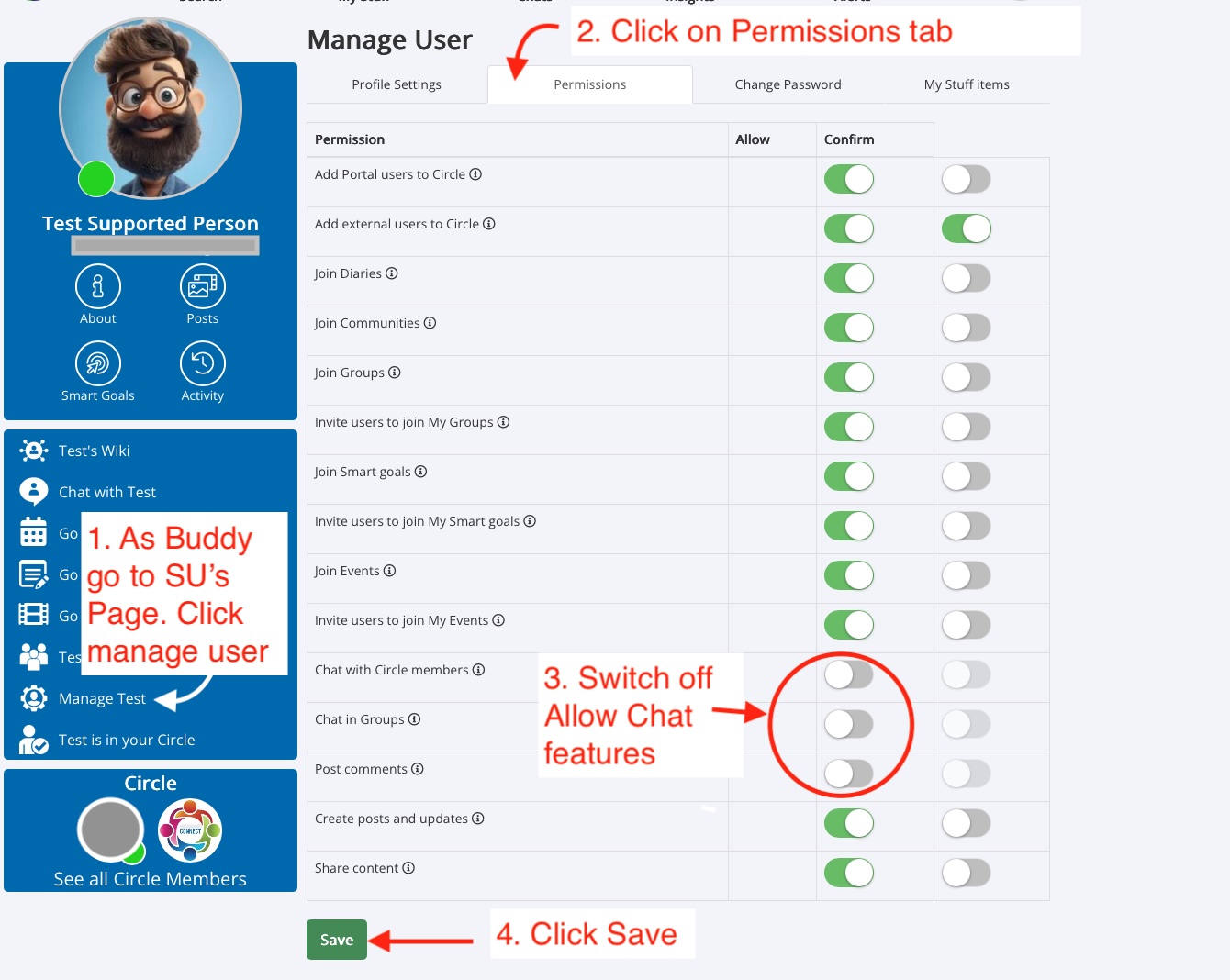
- Log in as the user’s Buddy
- Go to the Supported User’s Profile page
- Click Manage User
- Open the Permissions tab
- Turn off Allow Chat wherever it appears under chat and comment permissions
- Click Save
Was this article helpful?
That’s Great!
Thank you for your feedback
Sorry! We couldn't be helpful
Thank you for your feedback
Feedback sent
We appreciate your effort and will try to fix the article