You can move one or more Wiki Sections to another Section within your Wiki, or to a different Wiki.
Steps to move Wiki Sections
Open your Wiki and find the Sections you want to move.
Click Edit to switch on editing mode.
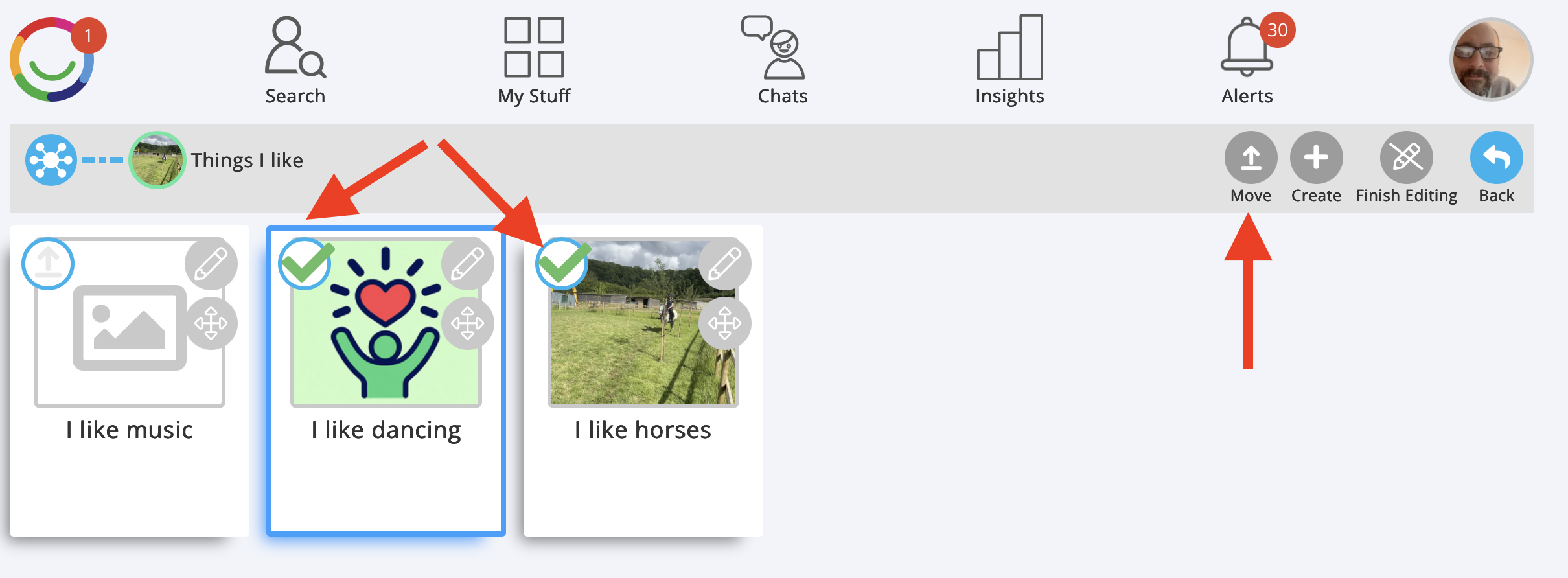
Click the Move icon (upward arrow) at the top left of each Section you want to move.
You can select multiple Sections. A green tick will appear on each selected Section.
Click Move at the top right of the screen.
Choose the destination Section where you want to move them, or select the option to move them to another Wiki.
Confirm the move.
Click Finish Editing when you're done.
Important: When you move a Section, all its Pages and any Subsections move with it. Nothing is deleted.
Tip: This is useful for reorganising your Wiki or transferring information between Wikis without having to recreate it. You can also copy the information without moving it.
Was this article helpful?
That’s Great!
Thank you for your feedback
Sorry! We couldn't be helpful
Thank you for your feedback
Feedback sent
We appreciate your effort and will try to fix the article