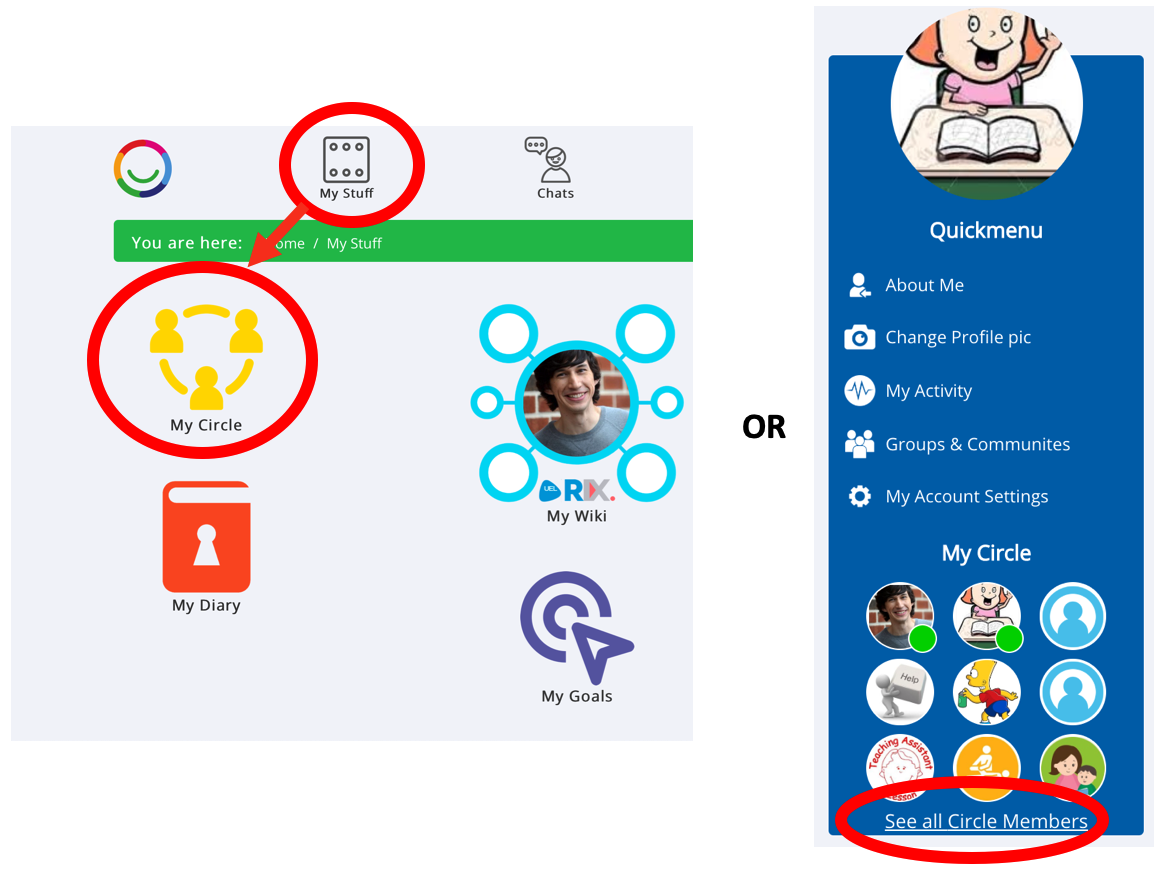
There are two easy ways to find your Circle on Multi Me.
Option 1 – From My Stuff
Click My Stuff in the top menu.
Select My Circle.
Option 2 – From your Quickmenu
Find the My Circle section in your Quickmenu.
Click See all Circle Members.
You can now see the people in your Circle and view their profiles.
Tip: You can also view another person's Circle from their profile by clicking See all Circle Members, if their sharing settings allow it.
Was this article helpful?
That’s Great!
Thank you for your feedback
Sorry! We couldn't be helpful
Thank you for your feedback
Feedback sent
We appreciate your effort and will try to fix the article