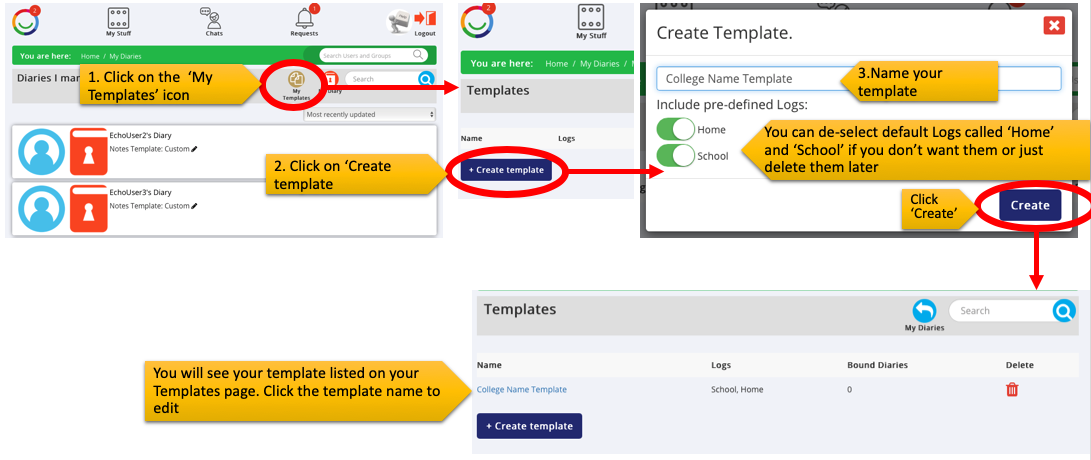
As an Account Holder you will be able to create your own Diary Log Templates and apply them to Supported Users in your Portal.
- Log in as an Account Holder
- Go to 'My Stuff' > 'My Diary'
- Click on 'My Templates'
To create a new template follow these steps:
Was this article helpful?
That’s Great!
Thank you for your feedback
Sorry! We couldn't be helpful
Thank you for your feedback
Feedback sent
We appreciate your effort and will try to fix the article