As a Goal Admin, you can manage who participates in a Goal and who has permission to administer it.
You can invite new members, appoint other Goal Admins and remove members when necessary.
How to manage Goal members
Open the Goal you want to manage.
Click the three dots (•••) to show more options.
Select Members.
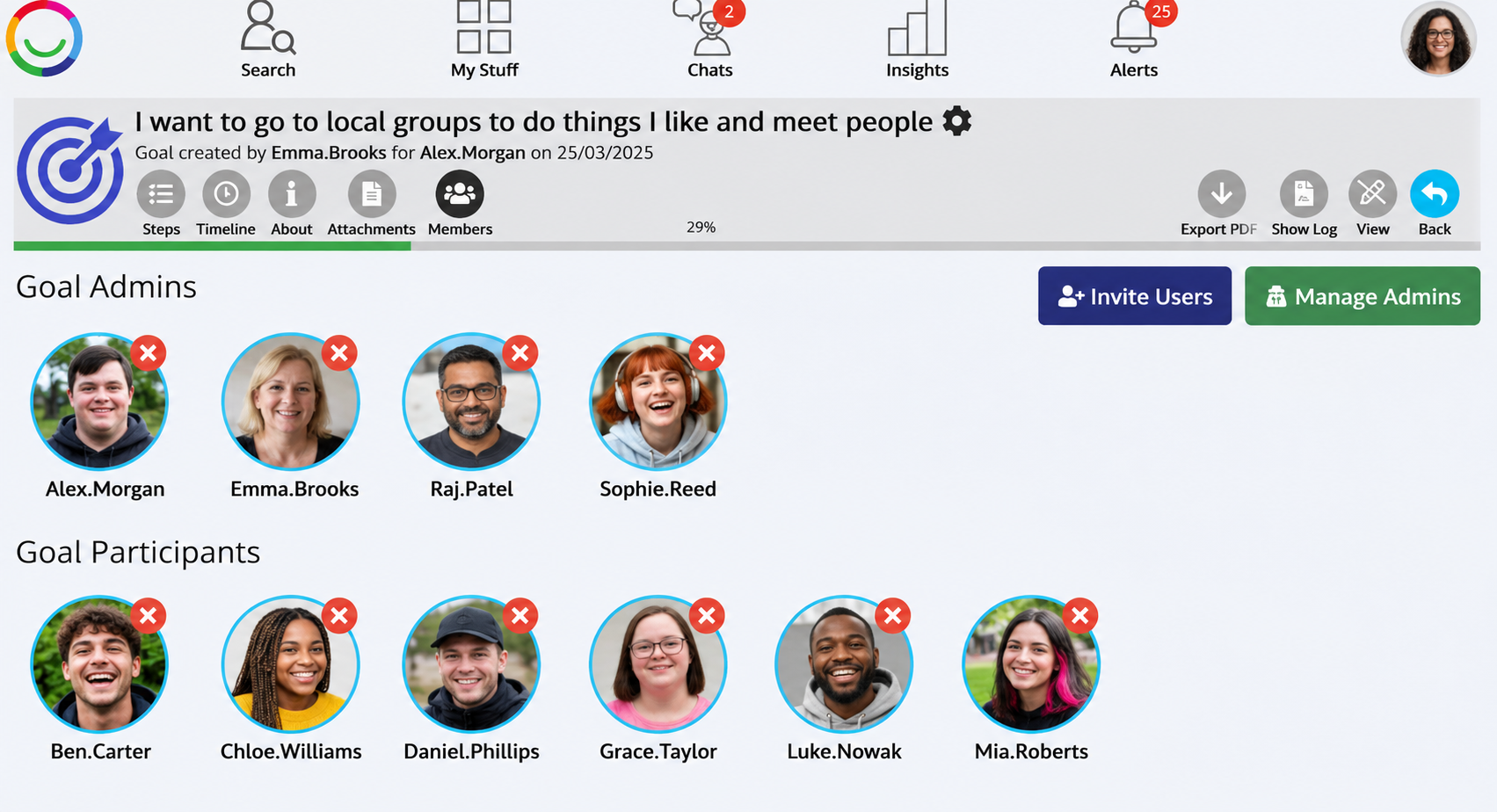
You will see the people who are currently Goal Admins and participants.
Click the Edit (pencil) icon to make changes.
From here, you can invite new members or remove existing members from the Goal.
How to manage Goal Admins
On the Members page, enter Edit mode.
Click Manage Admins.
Select the people you want to make Goal Admins, or deselect those whose Admin access you want to remove.
Click Save.
A green tick indicates that someone has been selected as a Goal Admin.
What can Goal Admins do?
Goal Admins can manage the Goal, create and edit Steps, manage membership and access, and link Diary entries as evidence of progress.
Important: Buddies automatically have Admin access to all Goals belonging to the Supported Users they support. Their Buddy permissions cannot be removed through the Goal's membership settings.
Was this article helpful?
That’s Great!
Thank you for your feedback
Sorry! We couldn't be helpful
Thank you for your feedback
Feedback sent
We appreciate your effort and will try to fix the article