What is your Multi Me Profile?
Your Multi Me Profile is your personal page.
It can show your name, profile picture and information you've added about yourself.
You can choose who can see your Profile.
Why is it useful?
Your Profile helps other people find and connect with you on Multi Me.
For example, this might be:
Someone in one of your Groups
A friend or someone you know
A support worker or social worker from another organisation
You can add a picture and a little information about yourself so people know they've found the right person.
Tip: Share enough information to help people recognise you, but avoid adding personal details you wouldn't want others to see.
You can choose whether your Profile is Private or Public.
Your Multi Me Profile is your personal page. It can show your name, profile picture and information you've added about yourself. You can choose who can see your Profile.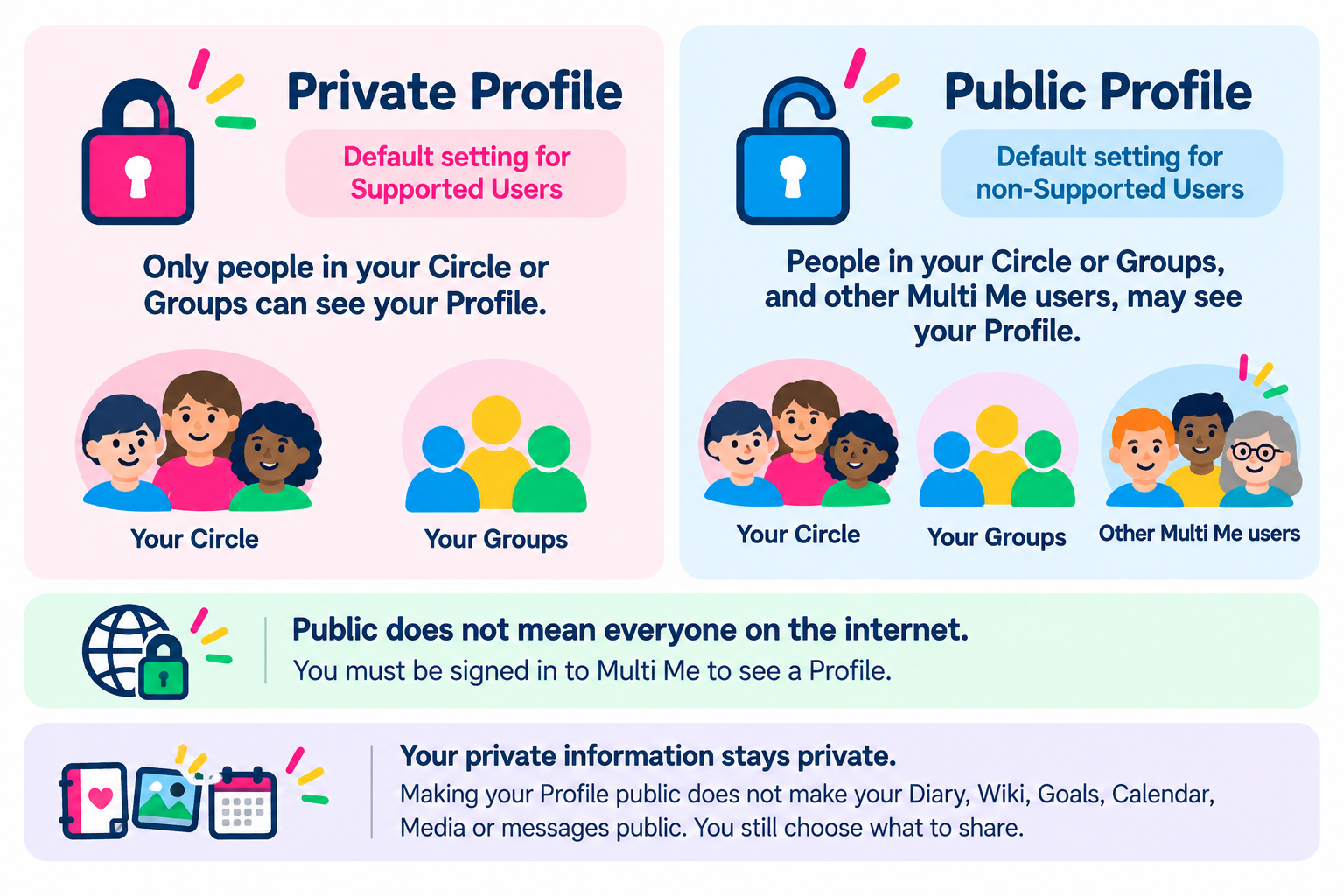 Private Profile
This is the default setting for Supported Users.
Your Profile can be seen by:
People in your Circle
People who are in the same Groups as you
Other Multi Me users cannot normally find or view your Profile.
Public Profile
This is the default setting for other users.
Your Profile can be seen by:
People in your Circle
People in the same Groups as you
Other Multi Me users who come across your Profile through posts, comments, likes or shared links
A Public Profile makes it easier to connect with other people on Multi Me.
Important: Public does not mean everyone on the internet. Only people signed in to Multi Me can see your Public Profile.
Your private information stays private
Making your Profile public does not make your private Diary, Wiki, Goals, Calendar, Media or messages public.
You still choose what to share.
Buddies and staff may also have access to some areas if they have been given permission.
How do I make my Profile private?
You can change this in your account settings.
Turn on Hide my Profile to make your Profile private.
Learn how to change your Profile Visibility settings
Which should I choose?
Private: If you prefer to keep your Profile within your Circle and Groups.
Public: If you want other Multi Me users to find and connect with you.
If you're unsure, ask your Buddy, support worker or Portal Administrator for help.
Was this article helpful?
That’s Great!
Thank you for your feedback
Sorry! We couldn't be helpful
Thank you for your feedback
Feedback sent
We appreciate your effort and will try to fix the article