Read Receipts let you ask people to read specific information in a Wiki and confirm that they have seen it.
You can send a Read Receipt for an entire Wiki, a Section or an individual Page, and include a message explaining what you would like the recipient to review.
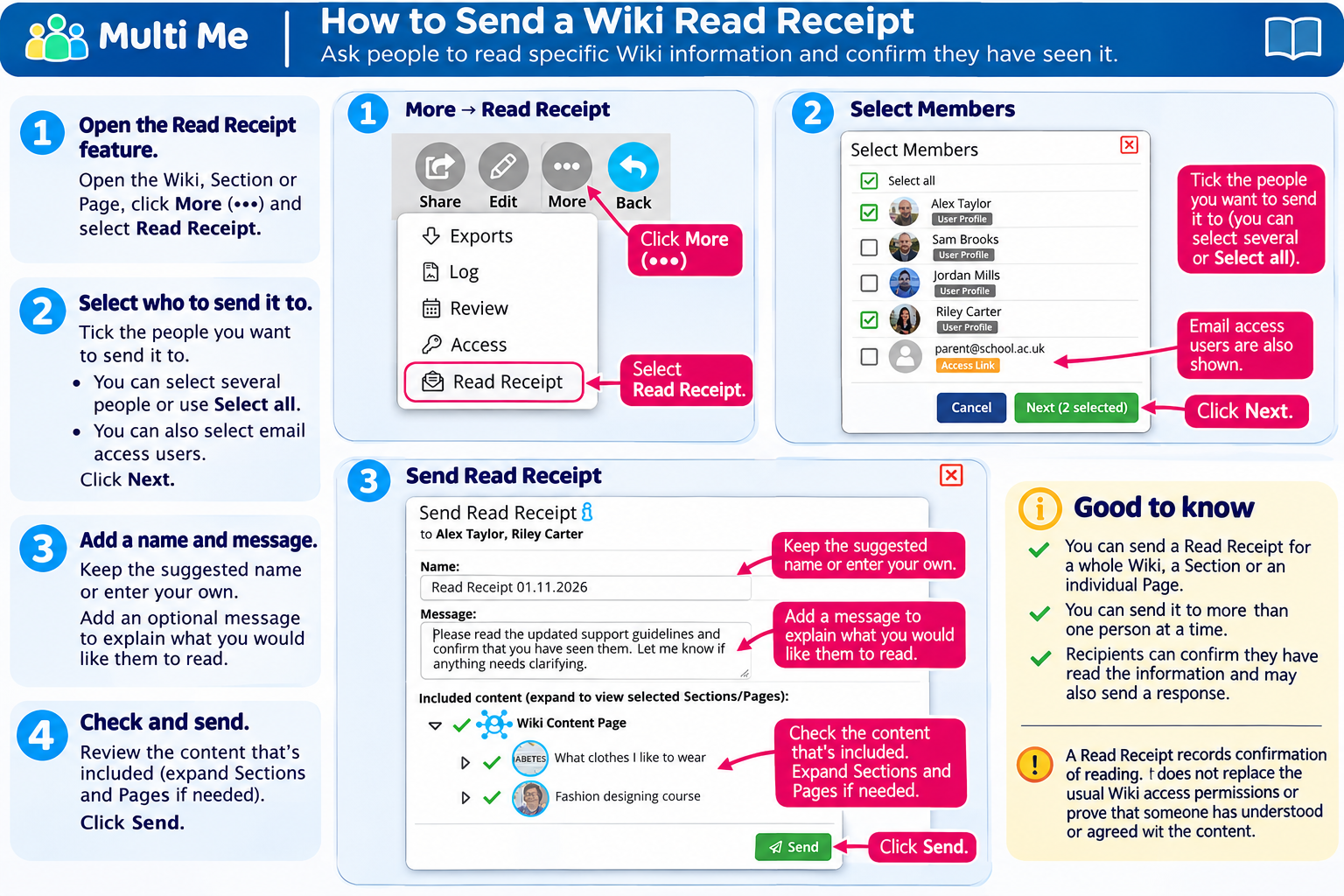
1. Open the Read Receipt Feature
Open the Wiki, Section or Page you want someone to read.
Click More (•••) in the Wiki menu.
Select Read Receipt.
2. Select Who Should Receive It
A list of people who have access to the Wiki will appear.
Tick the people you want to send the Read Receipt to.
You can select several people or use Select all.
Click Next.
You can also select email access users who have been given access to the Wiki.
3. Add a Name and Message
You can keep the suggested Read Receipt name or enter your own.
You can also add an optional message explaining what you would like people to read or check.
For example:
"Please read the updated support guidelines and confirm that you have seen them. Let me know if anything needs clarifying."
4. Check the Content Being Shared
The Included content area shows which Wiki Sections and Pages are included in your Read Receipt.
The content initially selected depends on where you started:
Whole Wiki: Includes the entire Wiki.
Section: Includes the selected Section and its content.
Page: Includes the selected Page.
Use the arrows to expand Sections and Pages and check the content. You can adjust the selection before sending.
5. Send the Read Receipt
Once you are happy with the recipients, message and selected content, click Send.
The recipients will receive a Read Receipt request. They can confirm that they have read the information and may also send a response.
Important: A Read Receipt helps you keep a record of who has confirmed reading information. It does not replace the normal Wiki access permissions.
Was this article helpful?
That’s Great!
Thank you for your feedback
Sorry! We couldn't be helpful
Thank you for your feedback
Feedback sent
We appreciate your effort and will try to fix the article