When you open an event in My Calendar, you can view its details and choose from several useful options.
Depending on the event and your access permissions, you can:
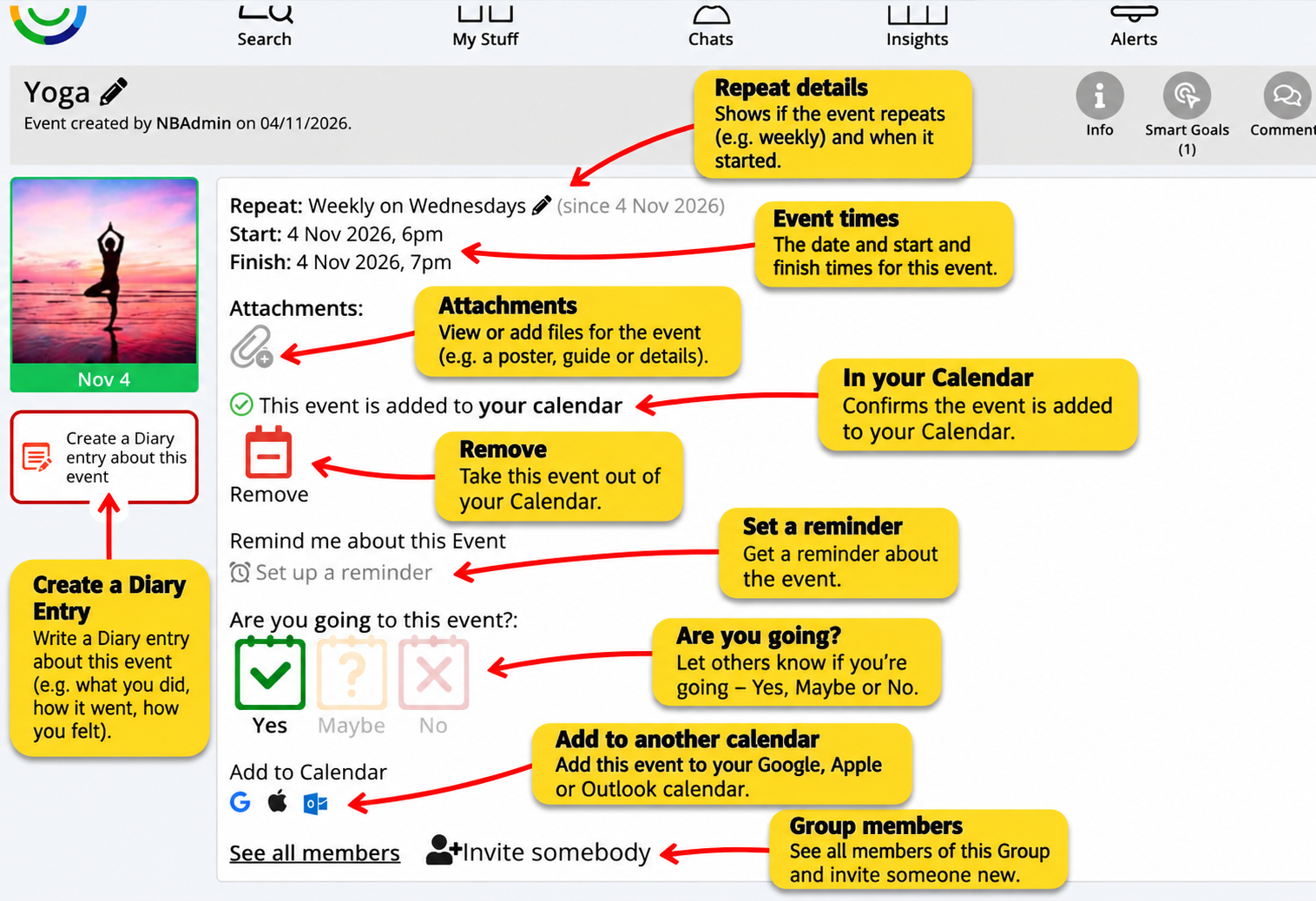
View event details – See the date, time and repeat schedule.
View attachments – Open any files or information added to the event.
Manage your calendar – Remove an event or set a reminder.
Confirm attendance – Let others know whether you're going, might go or cannot attend.
Add to another calendar – Add the event to Google, Apple or Outlook Calendar.
View members – See who's involved and invite others where permitted.
Create a Diary entry – Record what happened at the event, including photos, videos and your experiences.
View linked Goals – See any Goals and Steps connected to the event.
The screenshot below shows where to find these options.
Was this article helpful?
That’s Great!
Thank you for your feedback
Sorry! We couldn't be helpful
Thank you for your feedback
Feedback sent
We appreciate your effort and will try to fix the article