You can link posts from My Diary or My Activity to a Goal Step. This helps you keep a record of your progress, including photos, videos and achievements.
How to link a post
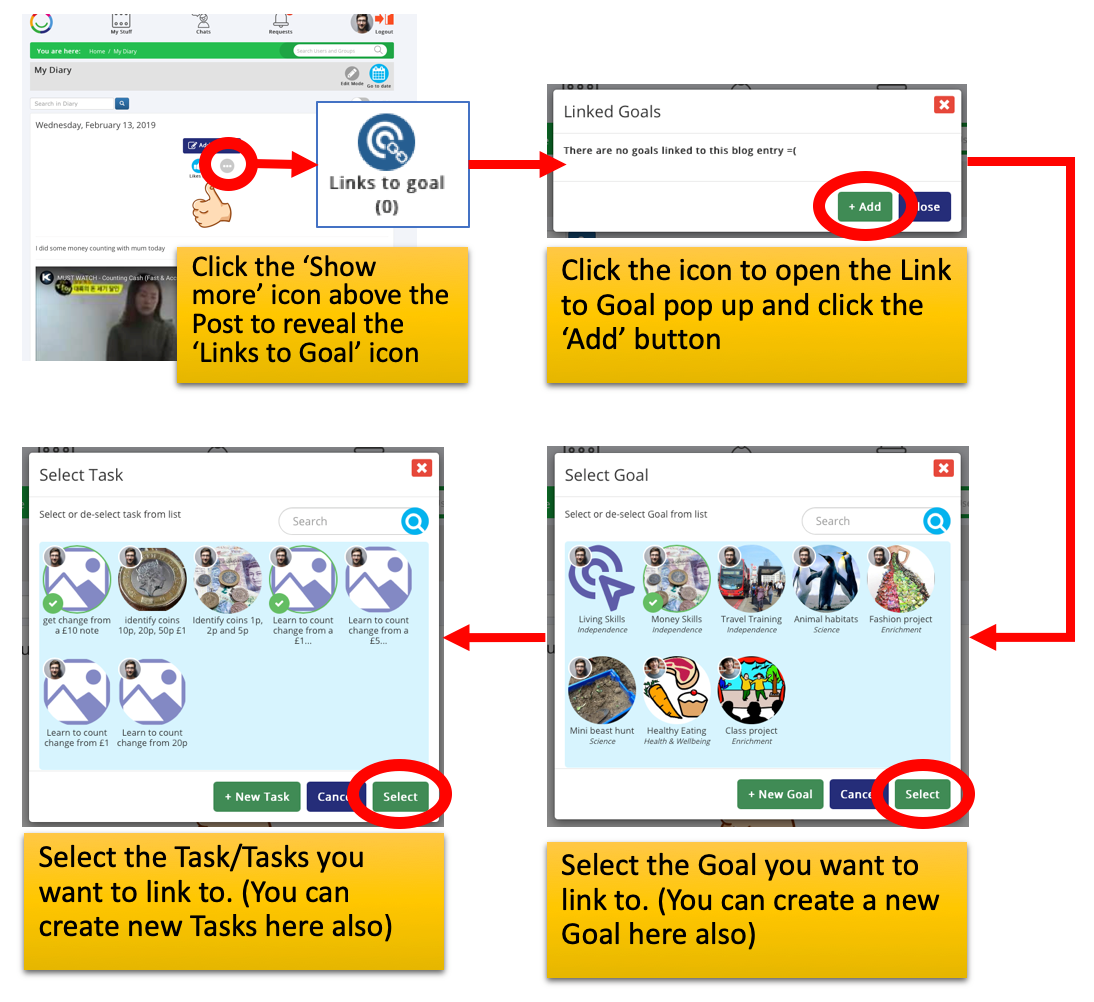
Open My Diary or My Activity.
Find the post you want to link.
Click the Link Goal icon above the post.
Select the Goal you want to link it to.
Choose the Step within that Goal.
Confirm your selection.
Where does the linked post appear?
The linked post will appear in the Comments section of the selected Step.
This is a great way to build a story of your progress, showing what you've done and celebrating your achievements along the way.
Was this article helpful?
That’s Great!
Thank you for your feedback
Sorry! We couldn't be helpful
Thank you for your feedback
Feedback sent
We appreciate your effort and will try to fix the article