The My Goals List Page shows all the Goals you are working towards, including Goals shared with you by other people.
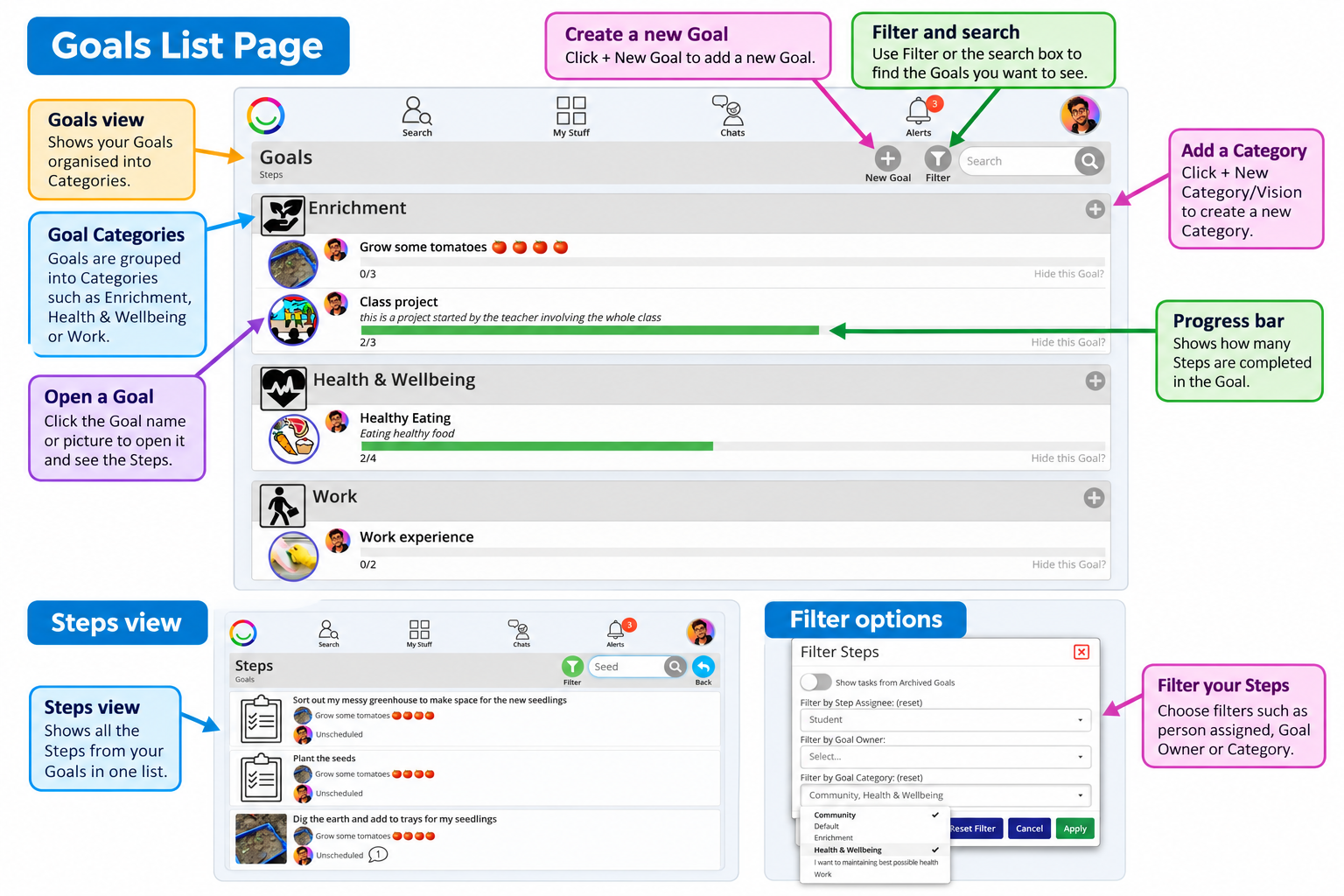
Goals are organised into Categories, such as Independence, Health & Wellbeing, Work or Enrichment.
Understanding your Goals List
On this page, you can:
View your Goals organised into Categories.
See your progress using the green progress bars, which show how many Steps have been completed.
Open a Goal by clicking its name or picture.
Create a new Goal using the + New Goal button.
Add a Category or Vision using + New Category/Vision.
Search and filter Goals to find the ones you want to see.
Switching between Goals and Steps
At the top left of the page, you can switch between two views:
Goals View
Shows your Goals organised into Categories, with progress bars indicating how many Steps have been completed.
Steps View
Shows individual Steps from across your Goals in one list.
This is useful when you want to see everything you need to work on without opening each Goal separately.
Searching and Filtering
You can use the Search box to find particular Goals or Steps.
Click Filter to narrow down what you see.
Depending on the view, you can filter by:
Person assigned to a Step
Goal Owner
Goal Category
Archived Goals
You can combine filters to find the information you need.
Tip: If you cannot find a Goal or Step, check whether you have a search or filter applied.
Please note: Your organisation may use different names for Goals and Steps, such as Objectives and Targets.
Was this article helpful?
That’s Great!
Thank you for your feedback
Sorry! We couldn't be helpful
Thank you for your feedback
Feedback sent
We appreciate your effort and will try to fix the article