As a Diary Admin or Buddy, you can choose which people receive email reminders to complete Diary Logs and notifications when new entries are added.
You can manage these settings separately for each user and each Diary Log.
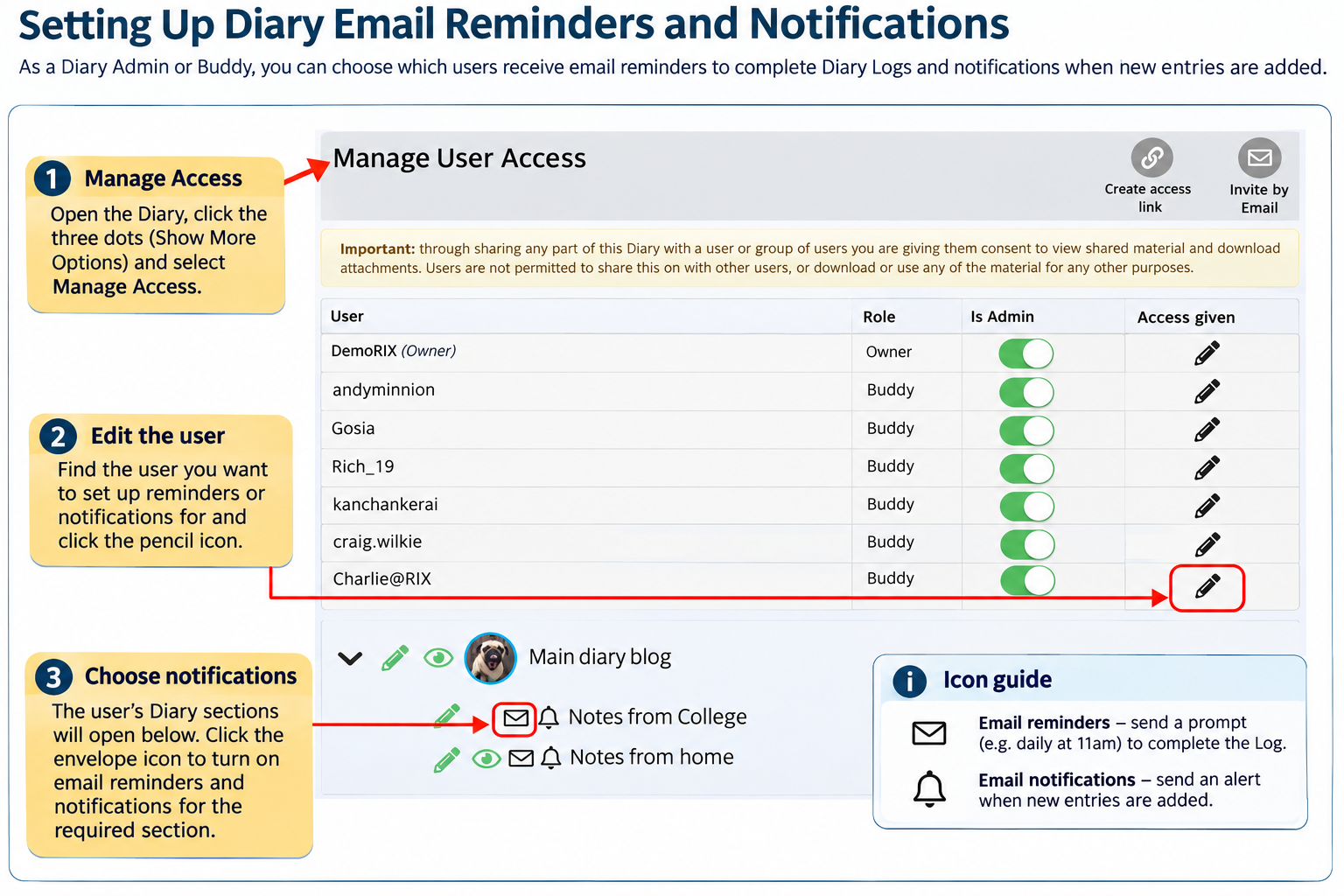
Types of Email Reminders and Notifications
Daily email reminders: Prompt users to complete entries in specific Diary Logs. These are normally sent at 11am.
New entry notifications: Inform users when new content has been added to the Diary Blog or individual Diary Logs.
How to Set Up Reminders and Notifications
Open the person's Diary.
Click the three dots (Show More Options) and select Manage Access.
Find the user you want to set up reminders or notifications for.
Click the pencil icon next to their name to expand their Diary permissions.
Find the Diary Blog or individual Log you want to manage.
Use the envelope icon to enable or disable email reminders and notifications for that user and section.
Repeat these steps for other users or Diary Logs as needed.
Important to Know
Diary Admins and Buddies manage these settings on behalf of other users.
Reminders include a link to the relevant Diary Log.
Users must have the appropriate access permissions to view or contribute to the Diary.
Different users can receive reminders and notifications for different Diary Logs.
You can change these settings at any time through Manage Access.
These features can be particularly useful for ensuring that daily care notes, support records and other important Diary Logs are completed and kept up to date.
Was this article helpful?
That’s Great!
Thank you for your feedback
Sorry! We couldn't be helpful
Thank you for your feedback
Feedback sent
We appreciate your effort and will try to fix the article