You can securely share parts of a person's Diary with someone who does not have a Multi Me account.
This is done using a secure link and password sent by email. The recipient can open the Diary in their web browser without registering for Multi Me.
How to invite someone by email
You must be a Diary Admin or Buddy to manage this access.
Open the Diary you want to share.
Click the three dots (Show More Options) and select Manage Access.
Click Invite by Email.
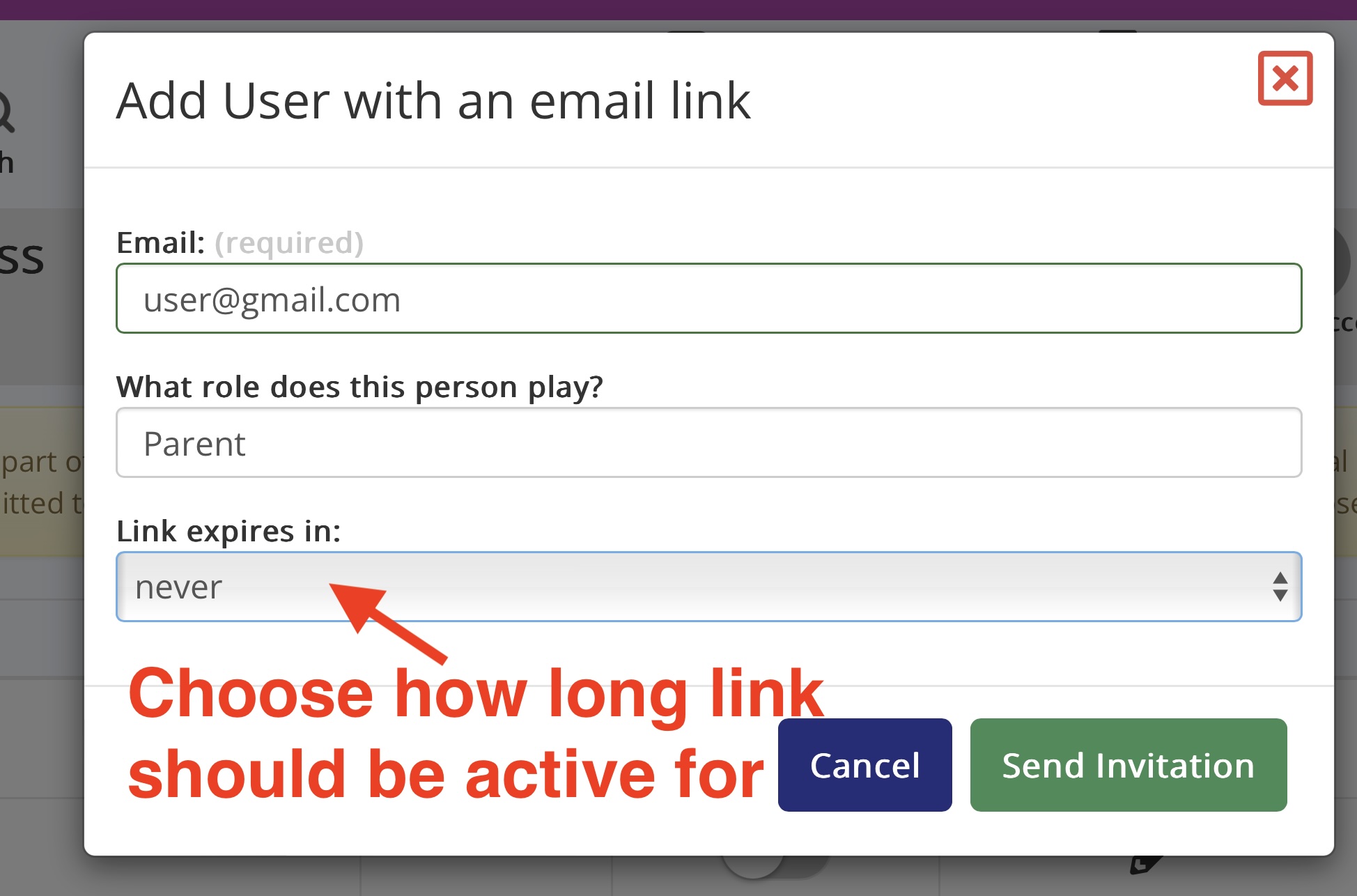
Enter the person's email address and their role (for example, Parent or Social Worker).
Choose when the access link should expire. You can select Never if ongoing access is needed.
Click Send Invitation.
The person will receive an email containing their secure access details.
Choose what they can see
After sending the invitation:
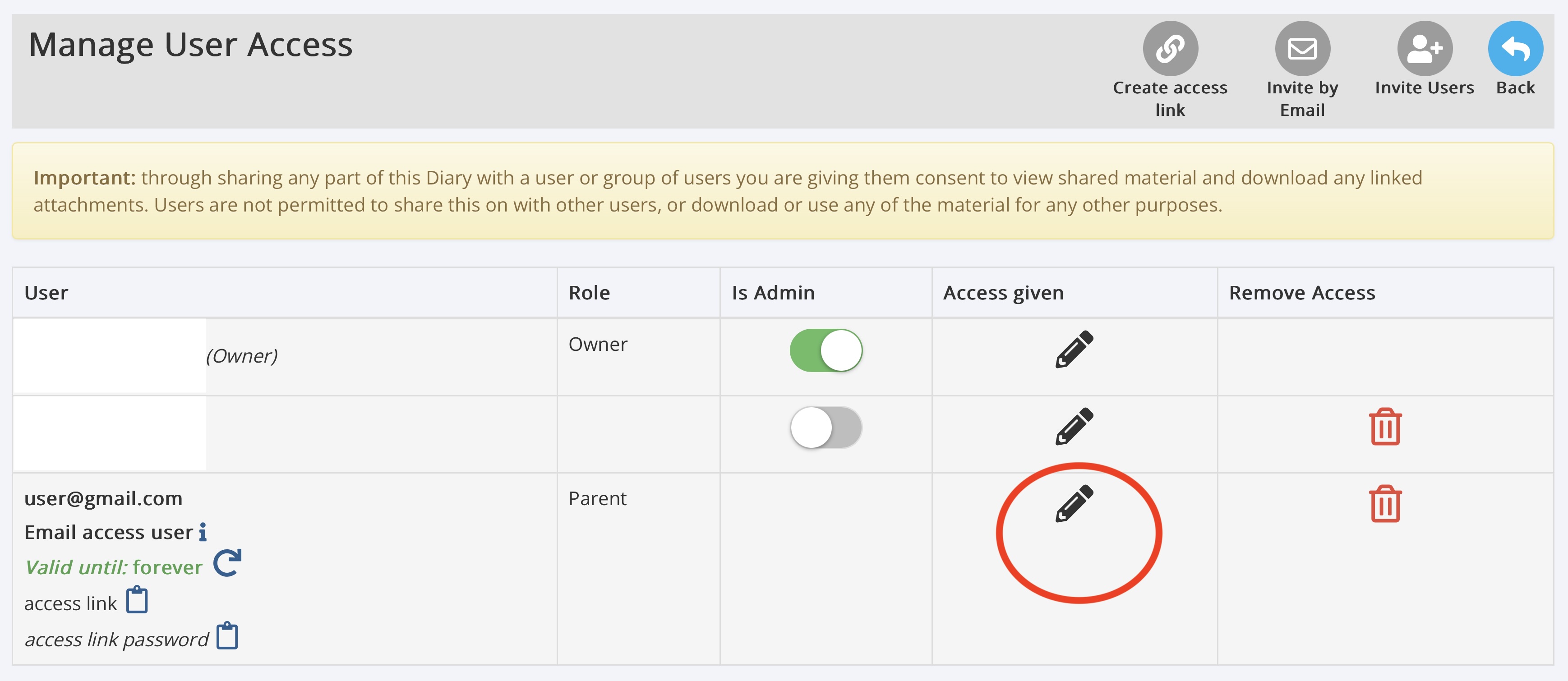
Find the person in the Manage User Access list.
Click the pencil icon next to their name.
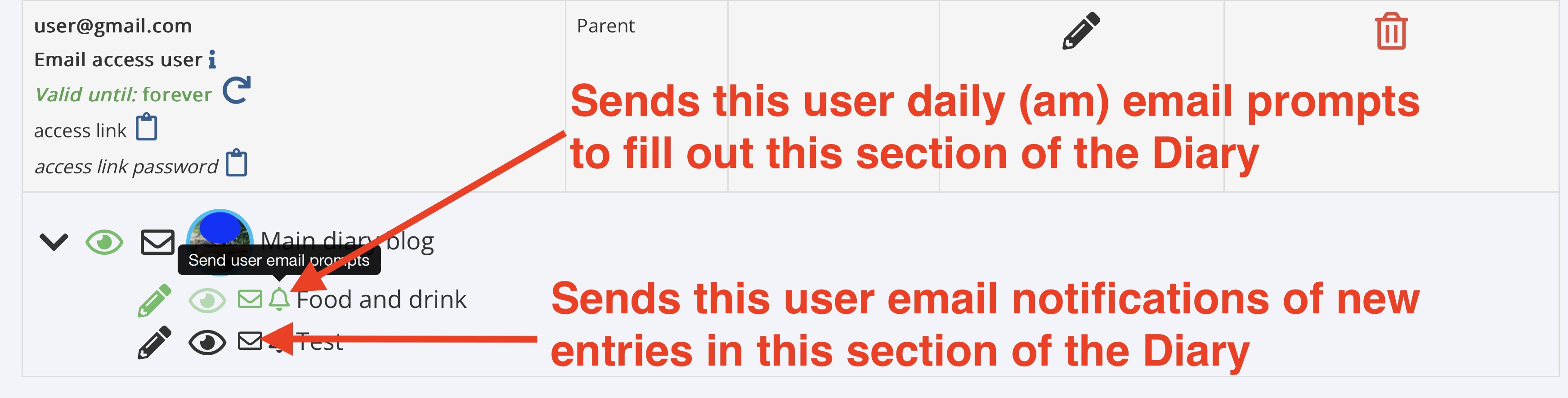
Use the eye icons to choose which parts of the Diary they can view.
Where available, use the pencil icons to allow contributions to specific Diary Logs.
Important: Email Access Users cannot edit the main Diary Blog. They must register for Multi Me and be given the appropriate permissions to do this.
Additional options
Depending on the Diary settings, you can also:
Enable email reminders asking the person to complete Diary Log entries.
Enable notifications when new entries are added.
Change or extend the expiry date of their access link.
Remove their access when it is no longer needed.
Keeping information secure
Only share Diary information with people who need access and are authorised to see it.
You can review or remove someone's access at any time through Manage Access.
Was this article helpful?
That’s Great!
Thank you for your feedback
Sorry! We couldn't be helpful
Thank you for your feedback
Feedback sent
We appreciate your effort and will try to fix the article