If you are a Buddy or Diary Admin managing several people's Diaries, you can create one multimedia Diary post and add it to multiple Diaries at the same time.
This is particularly useful when supporting group activities, such as cooking, baking, outings or community events.
For example: After a group baking session, you could create a Diary post with photos and a description of the activity, then add it to the Diaries of everyone who took part.
Linking to individual Goals
Once the post has been added to each person's Diary, it can also be linked to their own Goals as evidence of progress.
For example, the same baking activity might provide evidence towards different Goals, such as developing cooking skills, improving communication, working with others or becoming more independent.
How to add a post to multiple Diaries
Go to My Stuff → My Diary.
Click Add to Diary to create a new post.
Add your text, photos, videos or other media.
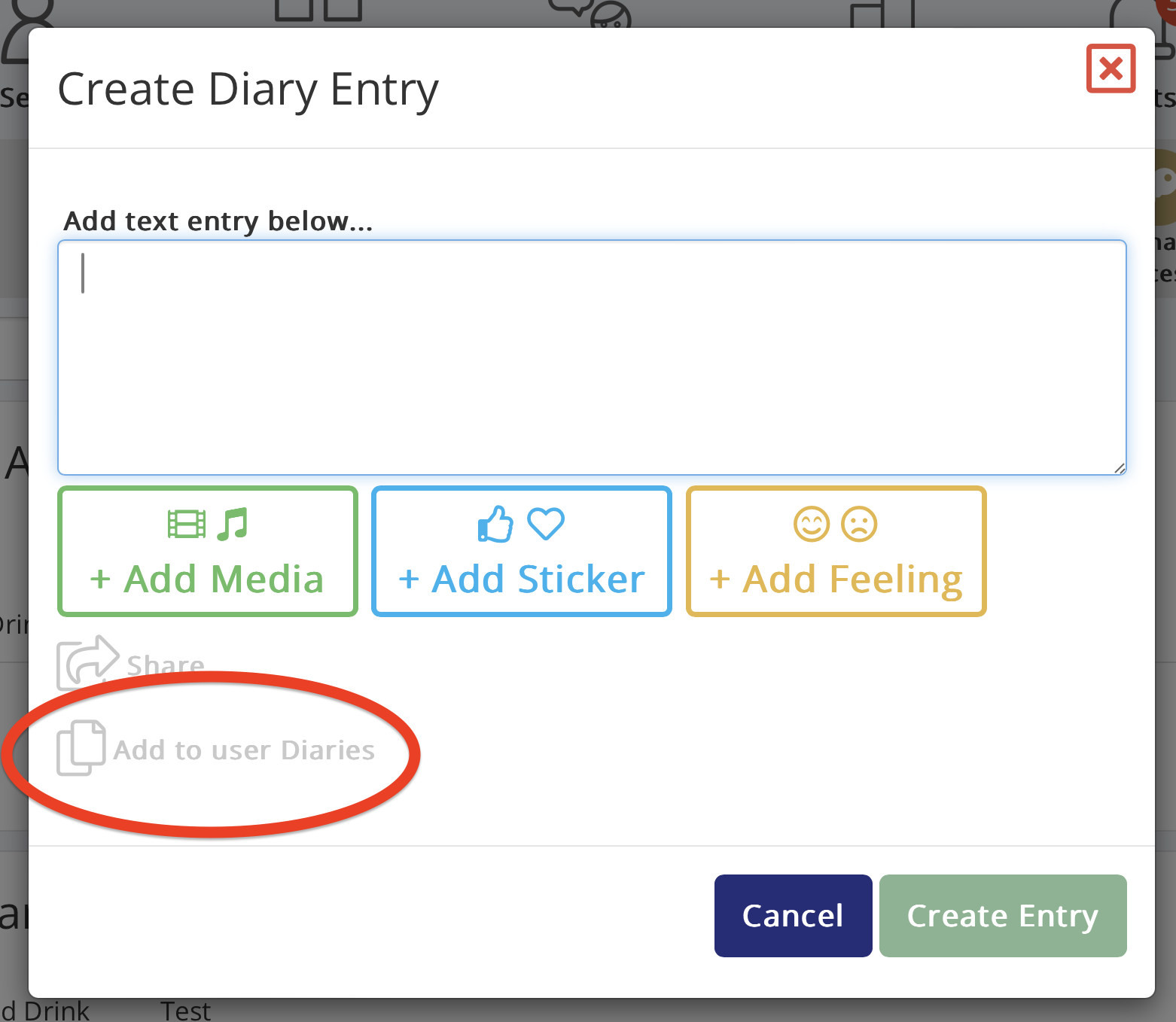
Select Add to user Diaries.
Choose which of the Diaries you manage should receive the post.
Click Create Entry to publish it.
The post will be added to your Diary and the selected users' Diaries.
Important: Only select people who participated in the activity, and make sure any photos or personal information are appropriate to share in each person's Diary.
Was this article helpful?
That’s Great!
Thank you for your feedback
Sorry! We couldn't be helpful
Thank you for your feedback
Feedback sent
We appreciate your effort and will try to fix the article