You can add comments, photos, videos and stickers to a Goal Step to share updates and show your progress.
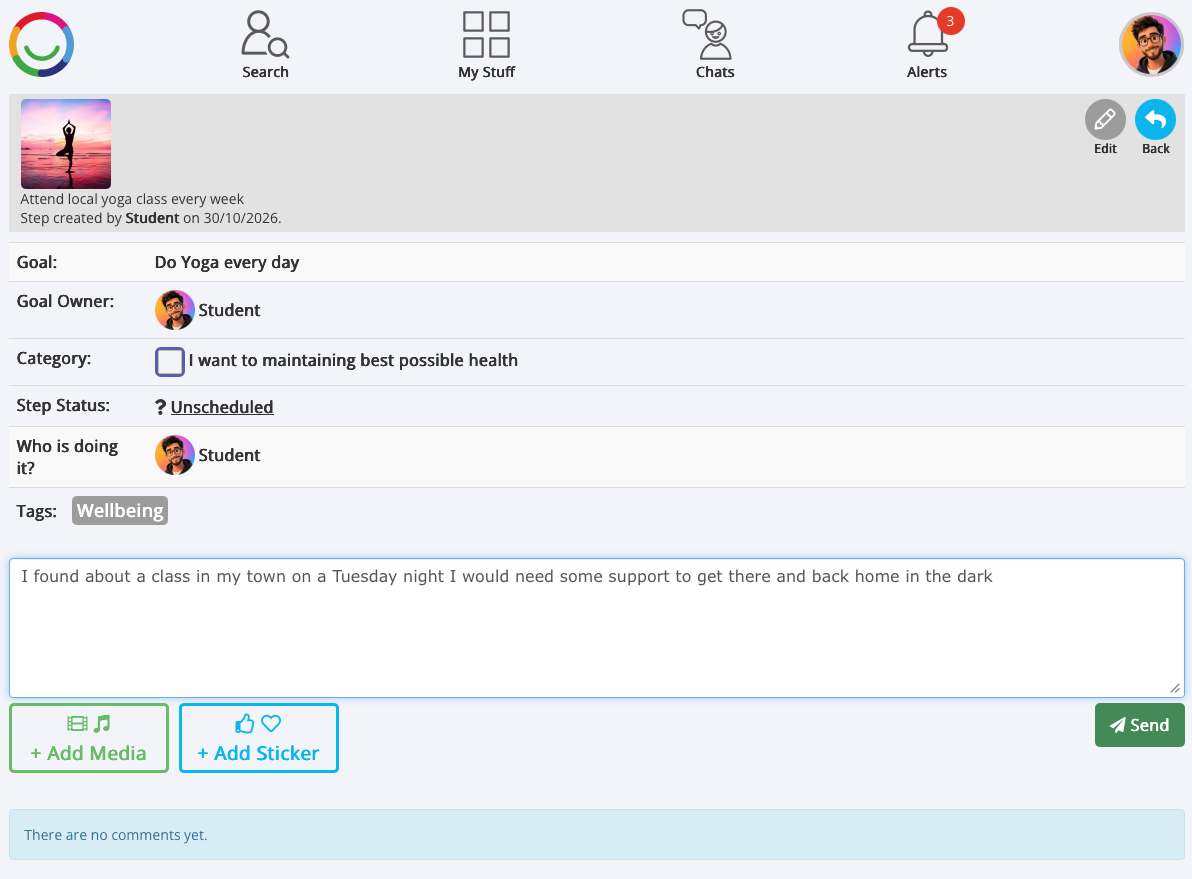
How to add a comment
Open My Goals and select your Goal.
Click on the Step you want to update.
Type your message in the comment box.
You can also select + Add Media to include a photo, video or audio recording, or + Add Sticker to add a sticker.
Click Send to post your update.
Keeping a record of progress
Comments and media are displayed underneath the Step, helping you and the people supporting you see what's happening.
You can add more updates over time to build a record of your progress and celebrate achievements.
Please note: Depending on your settings, comments may need approval before they become visible to others.
Was this article helpful?
That’s Great!
Thank you for your feedback
Sorry! We couldn't be helpful
Thank you for your feedback
Feedback sent
We appreciate your effort and will try to fix the article