Diary Admins can set up automatic alerts when a Diary Form is completed.
This is useful for keeping Buddies, support staff or other authorised users informed about important information recorded in a person's Diary.
When can alerts be triggered?
You can configure an alert to be sent:
Every time a form is submitted.
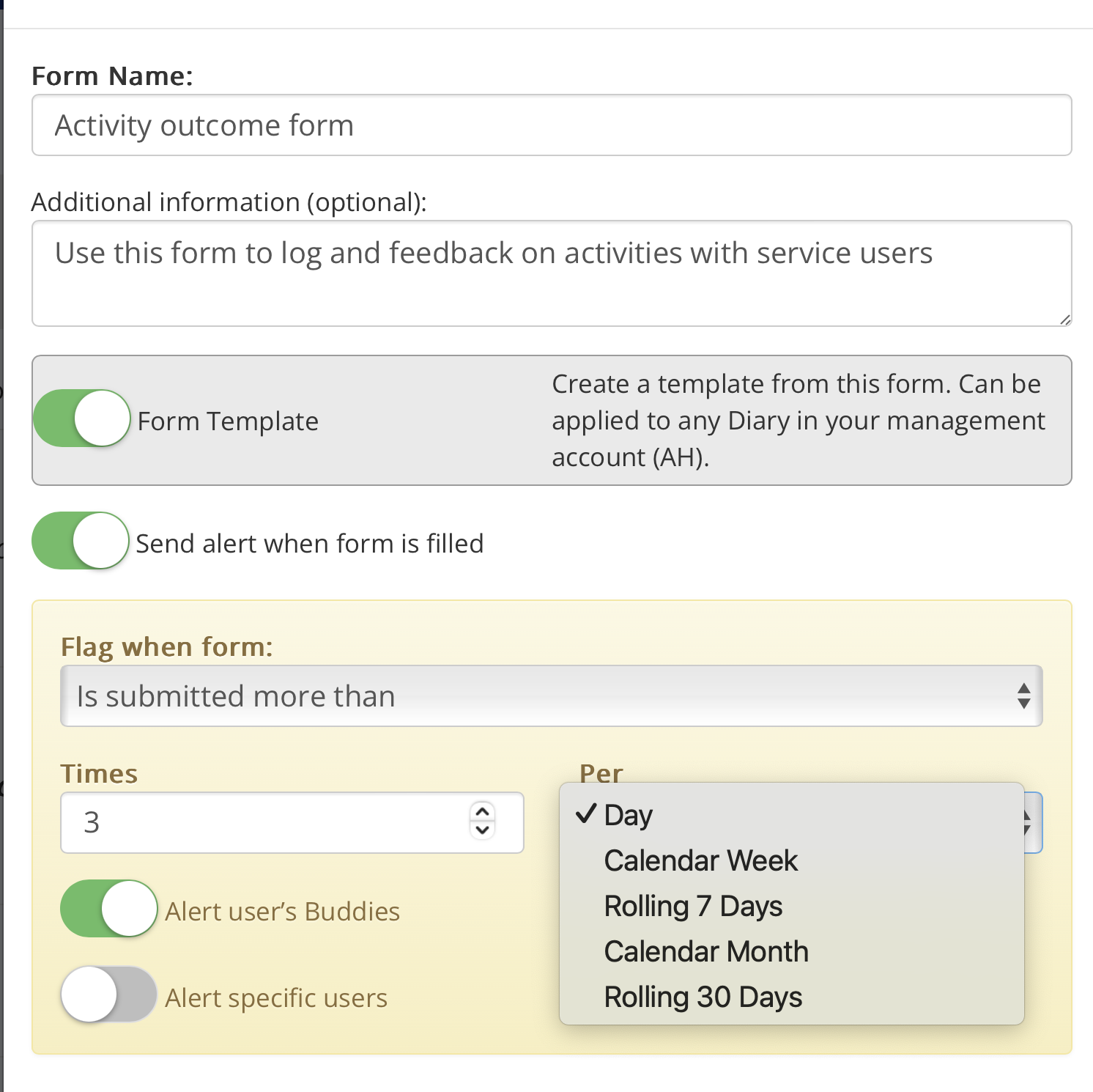
When a form is submitted more than a specified number of times within a chosen period, such as a day, calendar week, rolling seven days or month.
For example, you could set an alert if an incident form is submitted more than three times in one week.
How to set up an alert
Open the person's Diary.
Select Show More Options (•••) → Settings.
Open the Diary Log containing the form you want to configure.
Create a new form or edit an existing one.
Switch on Send alert when form is filled.
Choose when the alert should be triggered.
Select Alert user's Buddies and/or Alert specific users.
Save your changes.
Using alerts in Diary Templates
Alerts can also be configured in a Diary Template, allowing the same settings to be applied to multiple users.
Alternatively, alerts can be personalised within an individual's Diary Settings.
Note: Alerts should be configured carefully so that the appropriate people receive relevant information without generating unnecessary notifications.
Was this article helpful?
That’s Great!
Thank you for your feedback
Sorry! We couldn't be helpful
Thank you for your feedback
Feedback sent
We appreciate your effort and will try to fix the article